10 Most Common LaTeX Compilation Errors and How to Fix Them
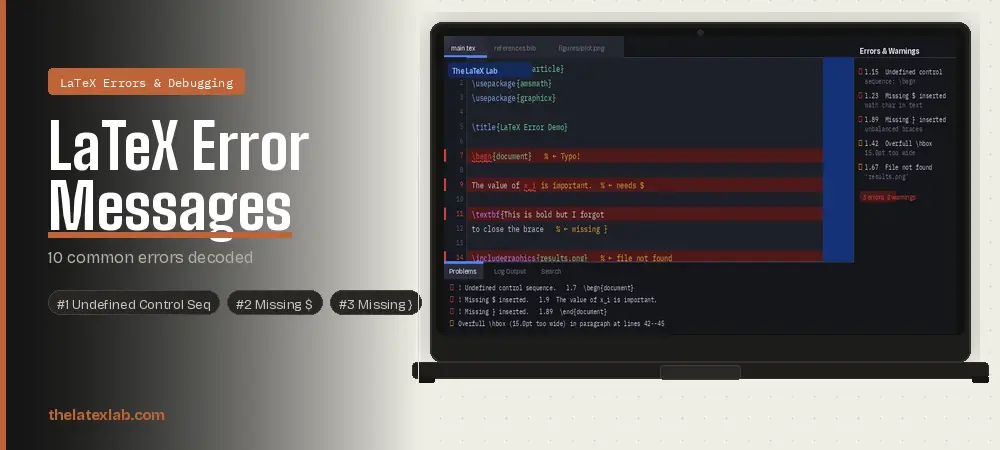
You hit compile. Instead of your PDF, you get a wall of red text that looks like it was written by a malfunctioning printer from 1985. An exclamation mark, a cryptic message, a line number that points somewhere unhelpful, and zero indication of what actually went wrong.
If your LaTeX won’t compile and you’re staring at error messages you don’t understand, this guide is for you. We’ve fixed thousands of LaTeX compilation errors across journal papers, conference submissions, and PhD theses. These are the 10 errors we see most often – with the exact error message, what it actually means, and copy-paste code to fix it.
Every error below includes the actual LaTeX error output, a broken code example, and the corrected version. If you’re debugging before a deadline, skip straight to the error that matches your message.
⚡ Deadline tonight? Don’t debug alone.
Send us your broken .tex files. Our Build Doctor service fixes LaTeX compilation errors in 24–48 hours with a plain-English explanation of what went wrong. From $49.
📑 In This Guide
- 00How to Read a LaTeX Error Message
- 01Undefined Control Sequence
- 02Missing $ Inserted
- 03Missing } Inserted (Unbalanced Braces)
- 04\begin{X} Ended by \end{Y}
- 05File Not Found
- 06Missing \begin{document}
- 07Overfull \hbox (Content Too Wide)
- 08Undefined Citation [?] & Bibliography Missing
- 09Option Clash / Package Conflict
- 10Runaway Argument
- 11The 5-Minute Debugging Strategy
- 12Quick Reference Table
- 13Frequently Asked Questions
How to Read a LaTeX Error Message
Before diving into specific errors, understanding the anatomy of a LaTeX error message saves hours of debugging. Every LaTeX error follows the same structure:
! Undefined control sequence.
l.42 \begn
{document}
- ! means it’s an error (not a warning). Errors stop compilation.
- The message (“Undefined control sequence”) tells you the category of problem.
- l.42 is the line number where LaTeX detected the error. The actual cause is often on this line or a few lines above.
- The broken command is shown split across the line break. Here, \begn is the culprit – it should be \begin.
Key debugging principle: LaTeX reports where it noticed the error, not necessarily where the error is. A missing brace on line 89 might not trigger an error until line 347. Always look above the reported line if the line itself looks correct.
Error #1: Undefined Control Sequence
! Undefined control sequence.
l.15 \begn
{document}
What it means: LaTeX encountered a command it doesn’t recognize. This is the single most common LaTeX compilation error. It has three main causes: a typo in the command name, a missing \usepackage declaration, or using a command that doesn’t exist in the current document class.
❌ Common triggers:
\begn{document} % Typo: should be \begin
\textbf{Hello} % Missing closing brace
\includegraphics{img} % Missing: \usepackage{graphicx}
\alpha in plain text % Need math mode: $\alpha$
✅ How to fix it:
Check the spelling of the command. \begin not \begn, \section not \seciton.
If the command is from a package, add \usepackage{packagename} to your preamble. Common ones: amsmath for \align, graphicx for \includegraphics, xcolor for \textcolor, hyperref for \href.
If you’re writing a file path like C:\Users\Files, use \textbackslash{} or the url package instead of raw backslashes.
Pro tip: If the error points to a line that looks correct, the actual problem is usually a missing brace or broken command above that line. LaTeX didn’t notice the issue until it tried to parse the next command.
Error #2: Missing $ Inserted
! Missing $ inserted.
l.23 The value of x_
i is important
What it means: LaTeX found a character that only works in math mode (like _, ^, \alpha, \sum) but you’re in regular text mode. LaTeX tries to help by inserting a $ to enter math mode, which usually makes things worse.
❌ Wrong:
The value of x_i is important. % _ is math-only
We use the \_id field in our data. % Escaped, but wrong context
✅ Fix:
The value of $x_i$ is important. % Wrap in $ for math mode
We use the \_id field in our data. % Escape with \_ for literal
This error appears constantly in papers that use variable names in running text. Any subscript (x_i), superscript (x^2), or Greek letter (\alpha) must be inside $ delimiters or a math environment.
Pro tip: The characters _, ^, &, #, %, $, {, and } are all special in LaTeX. To use them as literal text, escape them: \_, \^, \&, \#, \%, \$, \{, \}.
>Error #3: Missing } Inserted (Unbalanced Braces)
! Missing } inserted.
l.89 \end{document}
What it means: Every opening brace { must have a matching closing brace }. If they’re unbalanced, LaTeX gets confused and often doesn’t report the error until much later in the document – sometimes at \end{document}, hundreds of lines after the actual missing brace.
❌ Wrong:
\textbf{This text is bold but I forgot to close it
\section{Next Section} % LaTeX is still inside \textbf!
✅ Fix:
\textbf{This text is bold and properly closed.}
\section{Next Section}
This is the most frustrating error because the line number is almost never where the actual problem is. The missing brace could be anywhere above the reported line.
Debugging technique: Use the binary search method. Comment out the bottom half of your document with %. If it compiles, the error is in the commented half. Uncomment half of that section and repeat. This narrows the location exponentially. You’ll find the missing brace in 3–4 iterations, even in a 50-page document.
Error #4: \begin{X} Ended by \end{Y} (Environment Mismatch)
! LaTeX Error: \begin{figure} on input line 45
ended by \end{table}.
What it means: You opened one environment (like \begin{figure}) but closed a different one (\end{table}). This usually happens from copy-paste mistakes or when environments are nested in the wrong order.
❌ Wrong:
\begin{figure}
\begin{center}
\includegraphics{plot.png}
\end{figure} % Should close center first!
\end{center}
✅ Fix:
\begin{figure}
\begin{center}
\includegraphics{plot.png}
\end{center} % Close inner environment first
\end{figure} % Then close outer environment
Environments must nest properly – like matching parentheses. The last environment opened must be the first one closed. This is especially common with figure, center, table, and tabular environments nested together. For a full list of environment types, see the LaTeX Wikibook errors guide.
Error #5: File Not Found
! LaTeX Error: File `results.png' not found.
l.67 \includegraphics{results.png}
What it means: LaTeX can’t find a file you referenced – usually an image (\includegraphics), an input file (\input), or a bibliography (\bibliography). The file either doesn’t exist, is in the wrong folder, or has a different name than what you typed.
✅ Fix – check these in order:
- Is the filename spelled exactly right? LaTeX is case-sensitive on Linux/Overleaf. results.PNG and results.png are different files.
- Is the file in the right folder? If your main.tex is in the root and images are in a figures/ subfolder, use \includegraphics{figures/results.png} or add \graphicspath{{figures/}} to your preamble.
- Did you include the graphicx package? \usepackage{graphicx} must be in your preamble for \includegraphics to work.
- For bibliography files: use \bibliography{references} without the .bib extension. LaTeX adds it automatically.
Pro tip: Avoid spaces and special characters in filenames. Use figure-1.png not Figure 1 (final).png. This prevents path resolution issues across operating systems and Overleaf. You can look up any package and its correct name on the CTAN package archive.
Error #6: Missing \begin{document}
! LaTeX Error: Missing \begin{document}.
l.12 T
his is my introduction
What it means: LaTeX found text content before \begin{document}. Everything before \begin{document} is the preamble, where only declarations (\usepackage, \title, etc.) are allowed. Any actual text, even a stray character, triggers this error.
❌ Common triggers:
documentclass{article}
\usepackage{amsmath}
This is my paper % Text before \begin{document}!
\begin{document}
✅ Fix:
\documentclass{article}
\usepackage{amsmath}
\begin{document}
This is my paper % Text after \begin{document}
This also triggers when a package has a syntax error in its loading, or when you have invisible characters (like BOM markers from Windows text editors) at the start of the file. If you can’t see any stray text, try re-saving the file with UTF-8 encoding (no BOM).
🔧 Errors piling up? We’ll fix them for you.
The LaTeX Lab’s Build Doctor service fixes all compilation errors, BibTeX issues, and package conflicts. You get working files + a plain-English explanation of what was wrong.
24–48 hour delivery. From $49.
Error #7: Overfull \hbox (Content Too Wide)
Overfull \hbox (15.0pt too wide) in paragraph
at lines 42--45
What it means: This is a warning, not an error – your document will still compile. But it means LaTeX couldn’t fit content within the text margins. The affected line will stick out into the right margin. Common causes: long URLs, wide tables, long inline equations, or unbreakable words.
✅ Fixes (choose based on cause):
% For long URLs:
\usepackage{url}
\url{https://very-long-url.example.com/path}

% For general text overflow:
\usepackage{microtype} % Improves justification globally

% For wide images:
\includegraphics[width=\textwidth]{image}

% For wide tables:
\resizebox{\textwidth}{!}{\begin{tabular}...\end{tabular}}

% Nuclear option for specific paragraphs:
{\sloppy This problematic paragraph with long words.}
While overfull hbox warnings don’t prevent compilation, journals may reject papers with content extending beyond margins. Always check the PDF visually before submission.
Error #8: Undefined Citation [?] and Bibliography Not Showing
LaTeX Warning: Citation `smith2024' on page 3 undefined.
LaTeX Warning: There were undefined references.
What it means: Your \cite{} commands are showing [?] instead of citation numbers, and/or your bibliography is empty. This is the most common BibTeX-related issue and almost always comes down to one of three causes.
Cause 1: You haven’t run BibTeX/Biber.
LaTeX needs multiple compilation passes for citations. The correct sequence is:
pdflatex main.tex % Pass 1: writes .aux with citation keys
bibtex main % Processes .bib and creates .bbl
pdflatex main.tex % Pass 2: reads .bbl
pdflatex main.tex % Pass 3: resolves cross-references
In Overleaf, this happens automatically. If it’s still broken, click the dropdown next to Recompile and select “Recompile from scratch.” For a full walkthrough of bibliography setup, see the Overleaf BibTeX guide.
Cause 2: Citation key mismatch.
BibTeX keys are case-sensitive. If your .bib file has Smith2024 but you write \cite{smith2024}, it won’t match.
Cause 3: BibTeX vs Biber confusion.
If you use \usepackage{biblatex}, the default backend is Biber, not BibTeX. Running bibtex on a biblatex document won’t work. Make sure your editor runs the correct tool.
Error #9: Option Clash or Package Conflict
! LaTeX Error: Option clash for package geometry.
! Package X Error: ... incompatible with package Y.
What it means: You’ve loaded a package twice with different options, or two packages are trying to do the same thing and conflicting.
This is very common when combining a journal template (.cls file) with your own \usepackage declarations – the template may already load a package with specific options.
✅ Fixes:
- Check if the journal template already loads the package. Open the .cls file and search for \RequirePackage or \usepackage. If it loads geometry, don’t load it again in your preamble.
- If you need different options, use \PassOptionsToPackage{options}{package} before \documentclass.
- Load hyperref last. The hyperref package conflicts with many other packages and should almost always be the last \usepackage in your preamble. (See our guide on IEEE LaTeX template formatting for template-specific package loading order.)
Pro tip: When debugging package conflicts, comment out packages one at a time and recompile after each. This isolates which combination is causing the conflict. The Overleaf error docs cover the most common package conflicts in detail.
Error #10: Runaway Argument (Paragraph Ended Before Command Was Complete)
Runaway argument?
! Paragraph ended before \textbf was complete.
l.156
What it means: A command that expects its argument on one line (like \textbf{…}) found a blank line (which LaTeX interprets as a paragraph break) before the closing brace. This usually means a missing } somewhere inside the command’s argument.
❌ Wrong:
\textbf{This is bold text that continues

into the next paragraph without closing the brace.}
✅ Fix:
\textbf{This is bold text that continues
into the next line, with the closing brace on time.}

New paragraph starts here.
If you legitimately need a paragraph break inside a formatted block, use \par instead of a blank line. But usually this error means a brace was simply forgotten.
The 5-Minute LaTeX Debugging Strategy
When your LaTeX document won’t compile and you don’t know where to start, use this systematic approach:
- Read the first error only. Fix error #1 and recompile. One error often cascades into 20+ messages. Fixing the first one frequently eliminates all the others.
- Check the line number. Go to the reported line. If that line looks correct, look 5–10 lines above it. That’s where the actual problem usually is.
- Use binary search for mysterious errors. Comment out half your document. If it compiles, the error is in the commented half. Uncomment half of that and repeat.
- Delete auxiliary files. Delete all .aux, .bbl, .blg, .log, .toc, .lof, .lot files and recompile from scratch. In Overleaf, use “Recompile from scratch” from the dropdown. Corrupted auxiliary files cause phantom errors. If you’re still stuck, TeX Stack Exchange has solutions for virtually every known compilation error.”
- Compile incrementally. Don’t write 20 pages and then compile. Compile after every section, every table, every equation. Finding the error is trivial when you know it’s in the last 10 lines you added.
Quick Reference: All 10 Errors at a Glance
Bookmark this table. When you see an error message, match it to the error type and jump to the fix.
| # | Error Message | Most Likely Cause | Quick Fix |
|---|---|---|---|
| 1 | Undefined control sequence | Typo or missing \usepackage | Check spelling, add package |
| 2 | Missing $ inserted | Math character in text mode | Wrap in $ delimiters |
| 3 | Missing } inserted | Unbalanced braces | Binary search for missing } |
| 4 | \begin{X} ended by \end{Y} | Environment nesting error | Check open/close order |
| 5 | File not found | Wrong path or filename | Check path, case, extension |
| 6 | Missing \begin{document} | Text in preamble | Move text after \begin{document} |
| 7 | Overfull \hbox | Content wider than margins | \usepackage{microtype}, resize |
| 8 | Citation undefined [?] | BibTeX not run or key mismatch | Run bibtex/biber, check keys |
| 9 | Option clash / package conflict | Package loaded twice or incompatible | Remove duplicate, load hyperref last |
| 10 | Runaway argument | Missing } before blank line | Close brace before paragraph |
🚀 Still stuck? Let us fix it.
Upload your broken .tex files and we’ll diagnose and fix every compilation error.
Working files + plain-English explanation of every fix.
Undefined control sequences · BibTeX issues · Package conflicts · Missing files · All errors fixed
24–48 hour delivery · From $49 · Zero errors guaranteed
Frequently Asked Questions
Why won’t my LaTeX document compile?
The most common reasons a LaTeX document won’t compile are: undefined control sequences (typos or missing packages), unbalanced braces, math-mode characters in regular text, environment mismatches, and missing files. Read the first error message carefully – it tells you the category of problem. Fix the first error and recompile, since one error often cascades into many.
How do I fix “Undefined control sequence” in LaTeX?
Check three things in order: (1) Is the command spelled correctly? (2) Have you loaded the package that provides the command with \usepackage{packagename}? (3) Are you using the command in the right context – for example, math commands like \alpha need to be inside $ delimiters. If the error points to a line that looks correct, a missing brace above is often the real cause.
How do I fix “Missing $ inserted” in LaTeX?
This error means you used a math-mode character (like _, ^, or a Greek letter command) outside of math mode. Wrap the mathematical expression in $ delimiters for inline math, or use a display math environment like \begin{equation}. If you want to use _ as a literal underscore in text, write \_ instead.
Why are my LaTeX citations showing [?] instead of numbers?Citations show [?] when BibTeX or Biber hasn’t processed your bibliography. Run the full compilation sequence: pdflatex, then bibtex (or biber for biblatex), then pdflatex twice. Also check that your citation keys match exactly between \cite{} and your .bib file – keys are case-sensitive. In Overleaf, try “Recompile from scratch”.
What is “Overfull hbox” and should I fix it?
An overfull hbox warning means some content extends beyond your text margins. It’s a warning, not an error – your document will still compile. However, journals may reject submissions with content overflowing margins. Fix it with \usepackage{microtype} for general text, resize images with width=\textwidth, or break long URLs with the url package.
