LaTeX Won't Compile? Send It to Us. We'll Send It Back Working.
You've been staring at the error log for hours. You've tried every StackExchange answer. It still won't compile.
Send us your broken .tex file and we'll fix every error, test it in Overleaf, and deliver it back to you compiling cleanly — with a plain-English explanation of what went wrong and how to prevent it next time.
24–48 hour standard delivery. Same-day emergency rush available. Unlimited revisions until it compiles.
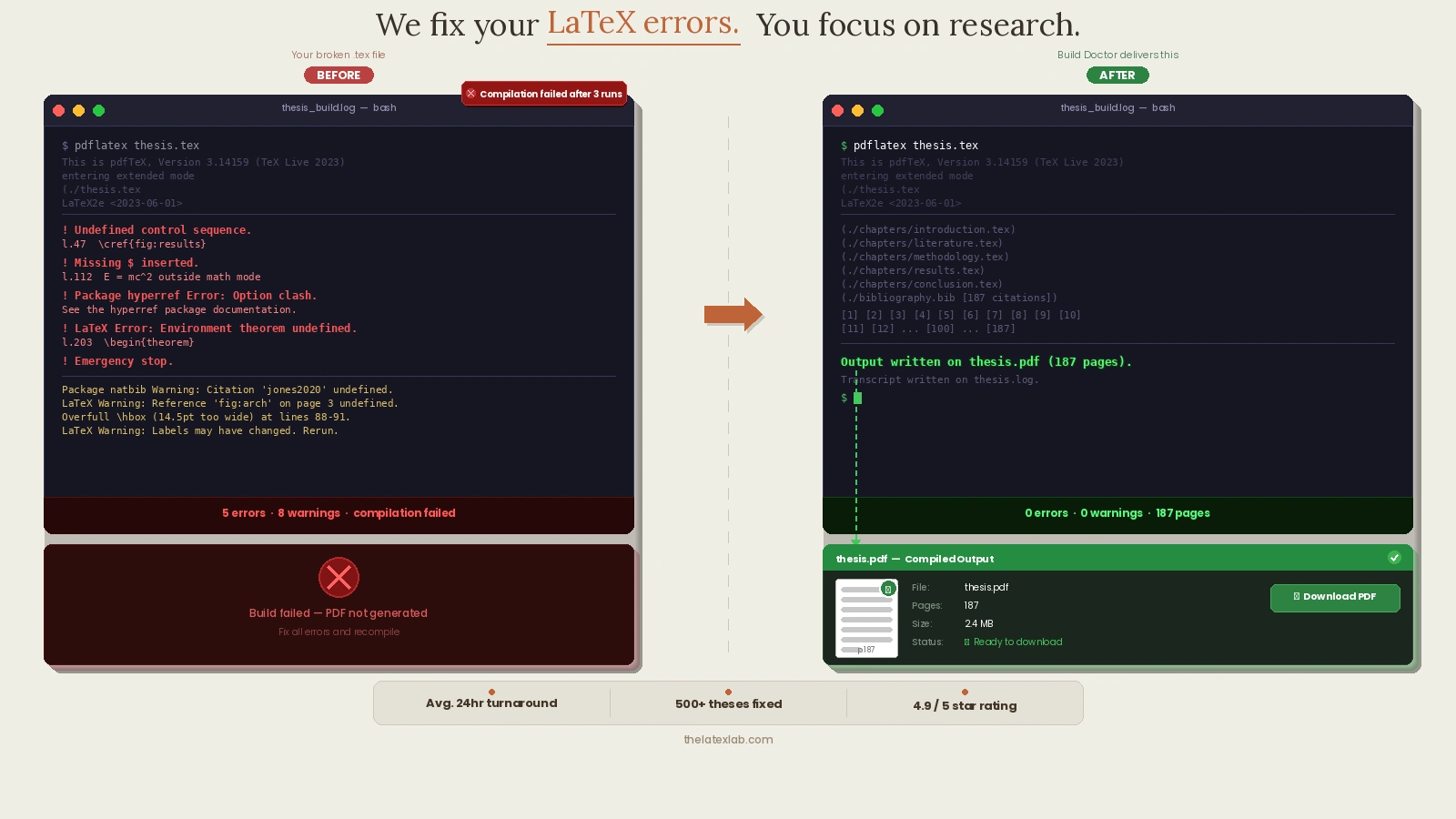
After fixing errors in over 500 projects, here's what we can tell you: 80% of projects that arrive with 20 or more error messages have just 2–3 root causes. LaTeX errors cascade — one missing brace or one package conflict generates a chain reaction of downstream errors that makes the log look catastrophic. The fix is almost never "fix 20 things." It's "find the 2–3 things that are actually broken and the other 18 errors disappear." That's why automated tools fail and systematic debugging by a human works.
The Errors You're Seeing. The Fixes You Need.
LaTeX error messages are famously unhelpful. Here's what we fix every day — and how often we see each one.
We tracked error types across our last 200 Build Doctor projects. The breakdown: bibliography and BibTeX errors showed up in about 31% of all projects. Package conflicts accounted for roughly 22%. Undefined control sequences came in around 18%. Math mode errors were about 12%. Template .cls file issues around 9%. File-not-found and path errors around 5%. Everything else filled in the remaining 3%. If your error falls into the top three categories, you're dealing with the same problems as most researchers who contact us.
! Undefined control sequence
The most common LaTeX error. Usually a misspelled command, a missing \usepackage declaration, or a package that's not installed. Sometimes buried in a template's .cls file where you can't spot it.
! Missing $ inserted
LaTeX thinks you used a math symbol outside of math mode. A literal underscore, a caret, or a stray backslash. Simple in theory — maddening when you can't find the offending character in a 150-page document.
! LaTeX Error: File not found
A package, class file, or image is missing or misnamed. Common after moving files between systems, downloading templates, or switching from a local install to Overleaf.
Package conflicts
Two packages redefining the same command. hyperref vs. other packages is the classic culprit. Sometimes the fix is loading order, sometimes compatibility patches, sometimes you need an entirely different package.
The hyperref package is involved in roughly half of all package conflict errors we see. The fix is almost always loading order — hyperref needs to be loaded last (or very close to last) in your preamble, with a few specific exceptions like cleveref which must come after hyperref. We've built a mental model of which packages conflict with which over hundreds of projects, and the answer is rarely on StackExchange because it depends on the specific combination of packages in your document. A 15-package preamble with one wrong loading order can produce errors that look completely unrelated to the actual cause.
BibTeX and bibliography errors
Bibliography not showing. Citations appearing as [?]. Wrong citation style. BibTeX vs. BibLaTeX confusion. Biber not running. Malformed .bib entries. The single most common category of errors we see.
The BibTeX vs. BibLaTeX confusion deserves its own explanation because we encounter it so often. If your preamble has \usepackage{biblatex} and \addbibresource{refs.bib} but you're running bibtex (not biber) as your backend, your bibliography will silently fail — no error message, just no bibliography. The reverse is also true: \bibliographystyle and \bibliography (classic BibTeX commands) with biber configured as the backend produces the same invisible failure. This mismatch accounts for roughly half of all "bibliography not showing" problems we fix. The fix takes 30 seconds once you know what to look for. But without knowing this distinction exists, you can spend hours reinstalling packages and recompiling without ever finding the issue.
Template and .cls file errors
Your university or journal template throws errors you didn't create. The .cls file expects packages you don't have, defines commands that conflict with yours, or was written for an older LaTeX distribution.
Math mode errors
Mismatched delimiters, environments that won't close, equation numbering conflicts, amsmath compatibility issues.
Everything else
Overfull/underfull boxes, float placement failures, cross-reference loops, encoding issues, font errors, TikZ compilation failures, compile timeouts. If LaTeX threw the error, we can fix it.
How It Works: 3 Steps, Fixed Price, No Hourly Billing
Upload Your Broken .tex File
Send us your .tex file, .bib file, any .cls or .sty files, and your images. Tell us what you're trying to achieve and your deadline. Not sure which files to send? Zip your entire project folder — we'll sort it out.
We Diagnose & Fix
We read the error log, trace every error to its root cause, and fix them. Not with automated tools — by hand, by a LaTeX specialist who understands package interactions, template quirks, and the difference between BibTeX and BibLaTeX. We test compilation in Overleaf before marking it done.
Here's what our debugging process actually looks like: First, we compile with --halt-on-first-error to find the first real error (not the cascade). Then we read the .log file — not just the error summary, but the full log, because the actual cause is often reported 20–30 lines before the error message as a warning. We check the .blg file for bibliography issues (most researchers don't know this file exists — it's BibTeX's own log, and it usually tells you exactly what's wrong with your .bib entries). We verify package loading order against known conflict patterns. And we compile at least three times — pdflatex, bibtex/biber, pdflatex, pdflatex — because many issues only surface on the second or third pass when cross-references and citations are resolved. This is the process that automated tools skip, and it's why they fail on real projects.
Download Your Working File + Explanation
You get back your fixed .tex file (or entire project), a compiled PDF showing it works, and a plain-English explanation of every error we found and how we fixed it. Plus prevention tips so the same errors don't come back.
LaTeX Error Fixing Pricing
Fixed prices based on error severity. No hourly billing. You know the cost before we start.
- Errors fixed1 error
- DiagnosisIncluded
- ExplanationIncluded
- RevisionsUntil it compiles
- Errors fixed3–5 errors
- DiagnosisFull
- ExplanationIncluded
- RevisionsUntil it compiles
- Errors fixedUnlimited
- DiagnosisComplete
- Code cleanupIncluded
- ExplanationFull report
- RevisionsUntil it compiles
Why Not Just Google It?
You probably already tried. Here's why it didn't work:
We tested Overleaf's Error Assist and Aspose's AI LaTeX Repairer against 10 real broken .tex files from our project archive. Error Assist correctly identified the error in 6 out of 10 cases but could only suggest a working fix for 3 of them — it failed completely on every project with package conflicts or custom .cls issues. The Aspose tool fixed 2 out of 10 (both simple syntax errors) and produced broken output on the other 8. For comparison, our manual debugging process resolved all 10 in an average of 45 minutes per project. AI tools are getting better, but for real academic LaTeX projects with custom templates and 15+ packages, systematic human debugging still wins.
We don't Google your error. We read your project, understand the package interactions and template requirements, and fix the root cause — not just the symptom.
When You Should Call Us Instead of Debugging
If any of that sounds familiar, stop debugging. Upload your file. Get it fixed in 24–48 hours for less than the cost of your time.
Our Guarantee
It will compile.
We test every file in Overleaf before delivery. If it doesn't compile in your environment, we fix it immediately at no charge.
Unlimited revisions until it works.
Every Build Doctor tier includes unlimited revisions. We don't stop until your file compiles cleanly with zero errors and zero warnings.
You'll understand what went wrong.
Every delivery includes a plain-English explanation of each error and how we fixed it. Plus prevention tips so the same problems don't come back.
Your content stays untouched.
We fix formatting and compilation issues. We never modify your research text, equations, or data.
★★★★★
"Sent my broken files at 11pm with a morning deadline. Everything was fixed and working by 7am. Also got a clear explanation of what went wrong."
★★★★★
"My IEEE template was throwing 30+ errors after I updated Overleaf. Spent two days trying to fix it myself and made it worse. They traced it to a package loading order issue in the .cls file and had it compiling in under 24 hours."
★★★★★
"I had 47 errors, half of them BibTeX-related. I had no idea where to start. Got back a completely clean compile with a page explaining every root cause. Wish I'd just sent it on day one instead of debugging for a week."
Frequently Asked Questions About LaTeX Error Fixing
Stop Debugging. Start Submitting.
Your research is done. Your deadline is real. Don't waste another night fighting compilation errors. Upload your broken file, get a quote in 2 hours, and have a working .tex file back in your hands by tomorrow.