arXiv LaTeX Formatting. Source That Compiles on arXiv’s Servers. First Try.

arXiv doesn’t accept PDFs generated from LaTeX. It accepts your .tex source and compiles it on their servers. If their compilation produces a different result than yours — or fails entirely — your preprint doesn’t go live. And arXiv’s auto-TeXing system has its own rules that differ from your local LaTeX install, from Overleaf, and from every journal submission system.

We prepare your LaTeX source so it compiles cleanly on arXiv’s servers: correct figure formats, .bbl file included (arXiv doesn’t run BibTeX), hyperref conflict resolved, file names case-matched, and source code cleaned for public access.

72-hour standard delivery. Compiled and verified against arXiv’s TeX Live. Overleaf tested.

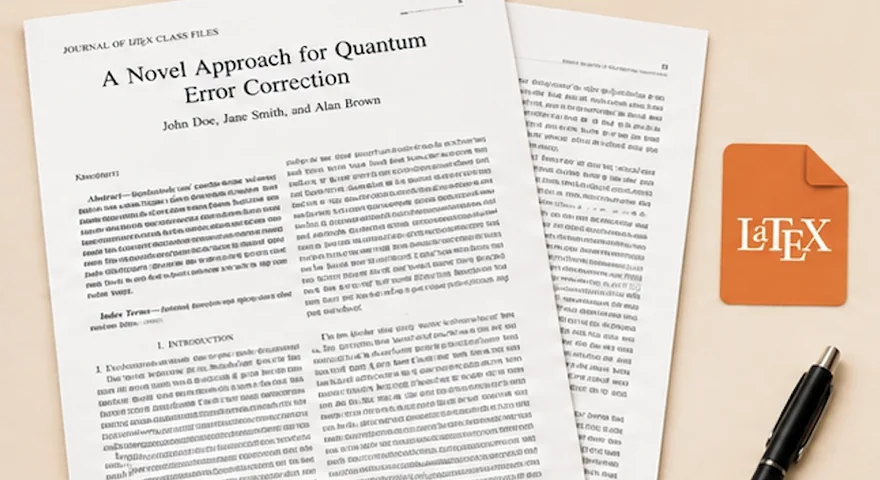
arXiv LaTeX submission errors fixed — before and after showing clean compilation on arXiv servers

Researchers from these institutions trust The LaTeX Lab

MIT Stanford Oxford Cambridge ETH Zurich TU Munich Imperial College TU Delft

The most common arXiv submission failure we see — in roughly 4 out of 10 projects that come to us after a failed upload — is the .bib file problem. Authors upload their .bib file expecting arXiv to run BibTeX during compilation. arXiv doesn’t. It only runs pdflatex (or latex). If you don’t include a pre-compiled .bbl file, every citation in your paper shows up as [?] in the generated PDF. The paper technically “compiles,” but with a broken bibliography that makes it unusable. We generate the .bbl file using the exact BibTeX/Biber version that matches arXiv’s current TeX Live distribution and include it in your submission package.

arXiv Isn’t Like Other Submission Systems. Here’s Why.

Springer has Editorial Manager. Elsevier has Editorial Manager. ACM has TAPS. arXiv has its own auto-TeXing system that’s fundamentally different from all of them — and different from your local LaTeX install or Overleaf. Here are the specific differences that cause submission failures.

arXiv Doesn’t Run BibTeX or Biber

This is the #1 arXiv submission failure, and the one most documentation doesn’t make obvious enough. When you compile locally, your workflow is pdflatex → bibtex → pdflatex → pdflatex. arXiv skips the bibtex step entirely. It only runs pdflatex (or latex). That means you must include a pre-compiled .bbl file in your submission. Without it, every \cite command produces [?].

The fix sounds simple, but there’s a catch: if you use biblatex instead of classic BibTeX, the .bbl file format depends on your biblatex/Biber version, and it must match arXiv’s version. arXiv currently uses TeX Live 2025 (with 2023 as a fallback), and the biblatex .bbl format changed between versions. If you generate your .bbl locally with a newer Biber version and arXiv’s biblatex expects an older format, you’ll get a cryptic error about undefined control sequences inside the .bbl file. We compile with the correct version to avoid this.

arXiv Injects Its Own hyperref

When arXiv processes your .tex file, it automatically loads the hyperref package with its own set of options. If your document also loads hyperref with options — which most papers do — you get the infamous “Option clash for package hyperref” error. Your paper compiles perfectly locally but fails on arXiv.

The fix: separate your hyperref loading from your hyperref options. Instead of \usepackage[colorlinks,allcolors=black]{hyperref}, use \usepackage{hyperref} followed by \hypersetup{colorlinks,allcolors=black}. If your document class loads hyperref internally (some do), add a 00README.XXX file to your submission with the line nohyperref to tell arXiv not to inject its own. We handle this automatically for every arXiv submission.

Figure Formats Cannot Be Mixed

If you’re using pdfLaTeX (which most arXiv submissions do), all figures must be .pdf, .jpg, or .png. No .eps files. If you’re using plain LaTeX, all figures must be .eps or .ps. No mixing. arXiv does not auto-convert between formats. We standardize all your figures to a single compatible format.

File Names Are Case-Sensitive

arXiv runs on a Unix-based system where Figure1.PDF and figure1.pdf are two different files. If your .tex file references \includegraphics{Figure1} but the actual file is named figure1.pdf, it compiles fine on Windows and crashes on arXiv. We audit every file reference for exact case matching.

No Subfolders in Some Cases, Subfolders Allowed in Others

Unlike Editorial Manager, arXiv does support subfolders — but with a caveat. Compilation always runs from the root of your submission directory, even if your main .tex file is in a subfolder. This means all \input and \includegraphics paths must be relative to the root, not to the .tex file’s location. If your Overleaf project has its .tex file in a subfolder with relative paths to sibling folders, it’ll work in Overleaf but fail on arXiv.

Your Source Code Becomes Public

Unlike journal submissions where only the PDF is published, arXiv makes your .tex source publicly downloadable. This means comments in your code (“TODO: fix this section”), tracked changes, internal notes, and sloppy formatting are all visible to anyone who downloads your paper’s source. We clean your source code so it’s professional and publication-ready.

→ Blog: Read Our Latest Post

What We Deliver: A Complete arXiv-Ready Package

Any Template, arXiv-Compatible

arXiv doesn’t mandate a specific template. You can submit with the standard article class, a journal’s .cls file (IEEE, Springer, ACM, etc.), or a community preprint style like the popular arxiv.sty NIPS template. We work with whatever template you prefer and ensure it’s compatible with arXiv’s compilation environment.

Pre-Compiled .bbl File

We compile your bibliography locally using the exact BibTeX/Biber version that matches arXiv’s current TeX Live distribution and include the .bbl file in your submission package. For classic BibTeX users, this is straightforward. For biblatex users, we ensure the .bbl format matches arXiv’s expected version.

hyperref Conflict Resolved

We restructure your hyperref loading to avoid option clashes with arXiv’s injected hyperref. If your document class loads hyperref internally, we add the appropriate 00README.XXX directive. We also remove driver options (pdftex, dvips) that conflict with arXiv’s auto-detection.

Figures Unified and Verified

All figures converted to a single, pdfLaTeX-compatible format (.pdf for vector graphics, .png or .jpg for raster). File names case-matched to \includegraphics references. No mixed format types. All paths verified against arXiv’s compilation root.

Source Cleaned for Public Access

All comments, TODO notes, tracked changes, internal notes, and unnecessary auxiliary files removed. Only clean, compilable source files remain. Your .tex code is readable and professional — because on arXiv, people will read it.

TeX Live Version Verified

We compile against arXiv’s current TeX Live version (2025 as default, with 2023 as a fallback option) and verify that no packages or features you’re using are missing or incompatible. If your Overleaf project uses a newer package version than arXiv supports, we resolve the compatibility issue.

Complete Deliverable

Main .tex file, .bbl bibliography file, all figure files (unified format), any custom .cls/.sty files needed, 00README.XXX if required, compiled PDF for reference, and a README with arXiv upload instructions. 1 revision round included.

Who This Is For

Physicists, mathematicians, computer scientists, economists, and researchers in any arXiv-covered discipline posting a preprint before or alongside journal submission.
Authors whose arXiv upload failed with compilation errors and need the source fixed before resubmitting.
Researchers who wrote in Word and need their manuscript converted to LaTeX for arXiv posting (arXiv strongly prefers .tex source over PDF-only submissions).
Conference paper authors posting an extended version or preprint on arXiv alongside their ACM/IEEE/Springer submission.
PhD students posting thesis chapters or research papers on arXiv as part of their academic portfolio.
International researchers in the US, Germany, UK, Australia, and worldwide who want their preprint to look professional and compile cleanly on arXiv’s system.

→ Need Word to LaTeX conversion?

→ Need PDF to LaTeX conversion?

How It Works

1

Send Us Your Paper & Tell Us the Plan

Upload your manuscript in any format. Tell us the target: arXiv only, arXiv + journal submission (we can prepare both versions), or arXiv + conference camera-ready. If you have a specific template preference, include it. If not, we’ll recommend one.

2

Get a Fixed Quote in 2 Hours

We assess your paper length, equation complexity, figure count, and bibliography size. Exact price within 2 hours. No hourly billing.

3

We Format, Compile & Verify

Template applied or adapted for arXiv compatibility. .bbl file generated with the correct BibTeX/Biber version. Figures unified. hyperref resolved. Source cleaned. Compiled and verified against arXiv’s TeX Live distribution.

4

Upload to arXiv

You receive the complete submission package with upload instructions. Upload to arXiv, verify the generated PDF preview, and submit. If arXiv’s auto-TeXing system flags any issue, your included revision round covers it.

What Happens After arXiv Upload

After you upload your package, arXiv compiles it and shows you a PDF preview. You must verify this preview before completing the submission — check that all figures appear, all citations resolve (no [?] marks), and the formatting looks correct. If anything is off, you can re-upload with fixes. Your included revision round covers any arXiv-specific adjustments needed after you see the preview.

arXiv LaTeX Formatting Pricing

Same pricing as all paper formatting. Fixed prices, no hourly billing.

Basic
$149
72-hour delivery
  • Pagesup to 10
  • Equationsup to 20
  • Citationsup to 20
  • Revisions1 round
Premium
$449
96-hour delivery
  • Pagesup to 30
  • Equationsup to 100
  • Citationsup to 100
  • Revisions1 round
Rush 24hr: +$99. Rush 48hr: +$49. Extra revision: +$49.
arXiv + journal dual formatting: If you need both an arXiv-ready version and a journal-formatted version (IEEE, Springer, Elsevier, ACM, etc.), we can prepare both from the same source. Ask us for a combined quote.

→ Full pricing details

The 5 Most Common arXiv Upload Failures — And How We Prevent Them

We’ve fixed dozens of failed arXiv submissions. Here are the failures we see most often, in order of frequency:

1. Missing .bbl file (~40% of failures). Author uploads .bib file but no .bbl. arXiv doesn’t run BibTeX. References appear as [?] or compilation fails. Fix: include the .bbl file and ensure it’s generated with the correct BibTeX/Biber version.
2. hyperref option clash (~25% of failures). Author’s \usepackage[options]{hyperref} conflicts with arXiv’s injected hyperref. Fix: move options to \hypersetup{}, remove driver options, or add 00README.XXX with nohyperref directive.
3. Mixed figure formats (~15% of failures). Some figures are .eps, others are .pdf or .png, in a pdfLaTeX submission. arXiv rejects the .eps files. Fix: convert all figures to a single pdfLaTeX-compatible format.
4. File name case mismatch (~10% of failures). \includegraphics{Figure1} but the file is figure1.pdf. Works on Windows, fails on arXiv’s Unix system. Fix: audit all file references for exact case matching.
5. TeX Live version incompatibility (~10% of failures). Paper uses a package feature or .bbl format from a TeX Live version that doesn’t match arXiv’s current distribution. Fix: compile with arXiv’s exact TeX Live version.

We check for all five of these — plus a dozen less common issues — before we deliver your submission package. If your arXiv upload has already failed and you don’t know why, send us the error log and we’ll diagnose it.

→ Have LaTeX errors?

arXiv submission fix

★★★★★

5.0

“My paper compiled perfectly in Overleaf but kept failing on arXiv. Turned out I was missing the .bbl file and had a hyperref clash I didn’t even know about. Fixed in one day.”

Word to LaTeX for arXiv

★★★★★

4.8 · Delivered in 3 days · Word to LaTeX · cs.LG

“Wrote my paper in Word and wanted to post it on arXiv before journal submission. They converted it to LaTeX, generated the .bbl file, cleaned the source code, and delivered a package I could upload directly. Compiled on arXiv first try.”

arXiv + Springer dual formatting

★★★★★

4.5 · Delivered in 4 days · arXiv + svjour3 dual formatting

“Needed two versions simultaneously — a clean arXiv preprint and a camera-ready for a Springer journal. They prepared both from the same source, with the right template and .bbl for each. Would have taken me days to figure out the differences between the two systems.”

Frequently Asked Questions About arXiv LaTeX Formatting

Have questions? Book a free call.

Your Research Deserves to Be Seen. Let’s Get It on arXiv.

Upload your manuscript. Tell us the template and the field. Get a fixed quote in 2 hours. Receive a complete arXiv submission package that compiles on their servers the first time — clean source, correct .bbl, no hyperref clashes.

Compiles on arXiv’s TeX Live .bbl file included hyperref resolved Source cleaned for public access If it fails on arXiv, we fix it free
→ View all pricing → Need thesis formatting? → Have LaTeX errors? → Elsevier formatting → ACM formatting → MDPI formatting