Springer LaTeX Formatting. svjour3 Journals. LNCS Proceedings. Submission-Ready.
Your paper is accepted. Your camera-ready deadline is in two weeks. You need it formatted to the exact Springer template — svjour3 for journals, sn-jnl for Springer Nature submissions, or llncs for LNCS conference proceedings.
We handle the formatting, verify compilation, and deliver a .tex file that passes Editorial Manager or Snapp on the first upload.
Researchers from these institutions trust The LaTeX Lab
Springer is one of the publishers we format for most frequently. The most common mistake we see from authors formatting their own Springer submissions: using the wrong bibliography style file. Springer has six different .bst files (spbasic, spmpsci, spphys, splncs04, plus two sn-* variants), and each journal requires a specific one. Using spbasic when your math journal requires spmpsci won't throw an error during compilation — but it will format your citations differently from the journal's house style, and the production editor will flag it. We verify the correct .bst file for every project before we start.
Every Springer Template. Every Bibliography Style. Every Submission System.
Springer uses multiple LaTeX template systems depending on whether you're submitting to a journal, a conference proceeding, or a book series. We work with all of them daily and know the quirks of each.
svjour3 — Springer Journal Articles
The workhorse template for most Springer journals. Supports four document class options: standard, smallcondensed, smallextended, and twocolumn. Each journal has its own preferred option — using the wrong one will get your paper bounced back by the production team. We configure the correct option for your specific journal, apply the right bibliography style (spbasic, spmpsci, or spphys), and verify every formatting requirement.
The three most common svjour3 errors we fix: First, authors use \documentclass{svjour3} without specifying a layout option, which defaults to "standard" — but most Springer journals actually require "smallextended." The paper compiles fine, but the spacing and margins are wrong, and the production team rejects it. Second, the natbib package conflicts with svjour3's built-in citation handling when loaded with certain options. The fix is to pass the natbib option directly to the document class (\documentclass[smallextended,natbib]{svjour3}) rather than loading it as a separate package. Third, authors use \bibliographystyle{plain} instead of the Springer-specific style file. This compiles without errors but produces citations in the wrong format. The correct style depends on your field: spbasic for general use, spmpsci for math and physical sciences, spphys for physics.
sn-jnl — Springer Nature Journals (2024+ Template)
The newer unified Springer Nature template, designed for submissions across Springer, Nature Portfolio, and BMC journals. Supports multiple reference styles: sn-basic, sn-mathphys, sn-aps, sn-vancouver, sn-apa, sn-chicago, and sn-nature. Requires pdflatex compilation. We configure the correct document class option and bibliography style for your target journal.
The sn-jnl template (introduced late 2024) is still causing confusion because many Springer journals haven't updated their "Instructions for Authors" pages to reference it. Authors download svjour3 from the journal's website, but the production system now expects sn-jnl. If your journal's submission guidelines mention svjour3 but Editorial Manager rejects the compiled PDF, this is likely why. We check the actual submission system requirements (not just the author guidelines page) before selecting the template, because the two are frequently out of sync.
llncs — Lecture Notes in Computer Science (LNCS)
The standard template for Springer CS conference proceedings — the world's largest computer science proceedings series. Strict requirements: running heads, splncs04.bst bibliography style, specific page limits (typically 12–15 pages including references), and mandatory CCS-style author declarations. We format to the exact LNCS specification, including the tricky bibliography formatting and page-count compliance.
LNCS page limits are where authors lose the most time. The limit is typically 12 pages for regular papers and 15 for invited papers, including references. Here's what we've learned from formatting dozens of LNCS papers: the bibliography alone often takes 1.5–2 pages when using splncs04.bst with 25+ references. That means your actual content needs to fit in 10–13 pages. When a paper runs over, the fix isn't shrinking fonts or reducing margins (LNCS templates enforce these). The fix is adjusting float placement to eliminate half-empty pages, consolidating small figures into a single multi-panel figure, using \vspace{-Xpt} surgically (not globally), and sometimes converting a standalone figure into a wrapfigure to recover whitespace next to a narrow image. These are formatting decisions, not content decisions — your words don't change, just their physical layout on the page.
→ Blog: Read Our Latest Blog Post
Book Chapters & Contributed Volumes
Springer book chapters (Advances in Intelligent Systems and Computing, LNBIP, etc.) use their own template variants. We handle these too — including multi-author coordination where multiple chapters need consistent formatting across the volume.
What You Get
Equations in Proper LaTeX Math Mode
Every equation typeset correctly. Inline math, display equations, multi-line derivations, matrices, custom operators. Not images. Not MathML exports. Clean LaTeX syntax.
Springer-Compliant Bibliography
Your references in the correct Springer BibTeX style file: spbasic.bst (basic/author-year), spmpsci.bst (math and physical sciences), spphys.bst (physics/APS-like), or splncs04.bst (LNCS). Every entry with the correct type and all required fields. No [?] citations. No missing fields.
Figures & Tables to Springer Spec
Figures in float environments with Springer-compliant captions and labels. Tables formatted to the journal's requirements. Cross-references that resolve correctly. Figure resolution verified for print.
Template Compliance Verified
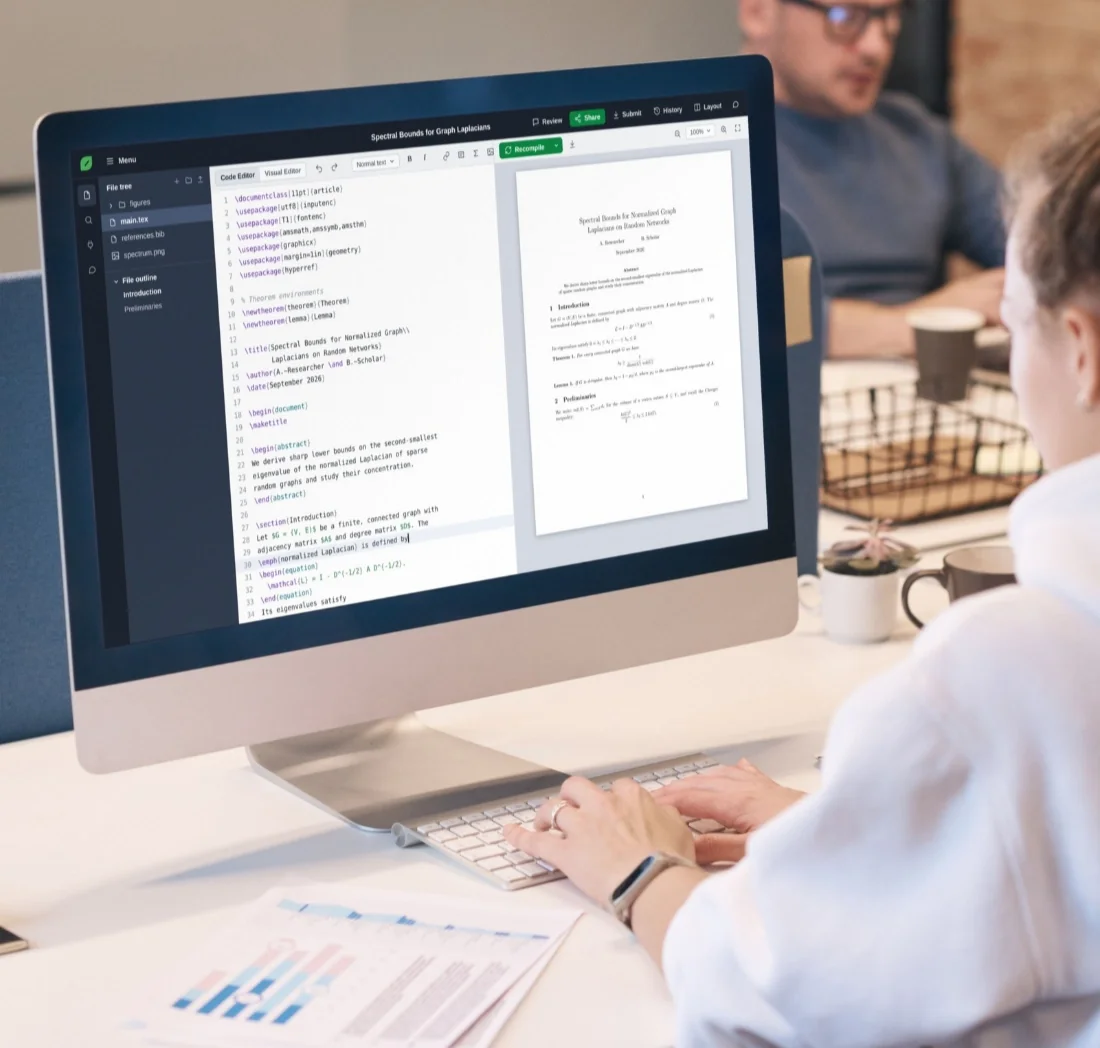
Your Springer template configured and tested: correct document class option, correct bibliography style, margins, fonts, heading hierarchy, page numbering, running heads, and all Springer-specific formatting requirements. We compile in Overleaf and verify zero errors before delivery.
Submission-System Tested
Springer journals use Editorial Manager or Snapp for LaTeX submissions. Both compile your .tex file server-side with TeX Live. We test that your file compiles cleanly — not just in Overleaf, but in a way that's compatible with these submission systems. No more upload rejections.
Complete Deliverable
Main .tex file, .bib bibliography file, all figure files, compiled PDF, and a README with compilation instructions. 1 revision round included.
Who This Is For
How It Works
Send Us Your Paper & Tell Us the Target
Upload your manuscript (Word, PDF, or existing LaTeX). Tell us the specific Springer journal or LNCS conference. If you have the .cls file or template package, include it. If you don't know which template to use, we'll identify it for you.
Get a Fixed Quote in 2 Hours
We review your paper's length, equation density, and bibliography size. Exact price within 2 hours. No estimates, no hourly billing.
We Format, Compile & Verify
Template applied, equations typeset, bibliography configured, figures placed. Compiled and tested in Overleaf. Verified against Springer's submission requirements.
Download & Submit
Complete file package delivered. Upload to Editorial Manager or Snapp with confidence. If anything doesn't compile, we fix it free, same day.
Springer LaTeX Formatting Pricing
Same pricing as all journal paper formatting. Fixed prices, no hourly billing.
- Pagesup to 10
- Equationsup to 20
- Citationsup to 20
- Revisions1 round
- Pagesup to 20
- Equationsup to 50
- Citationsup to 50
- Revisions1 round
- Pagesup to 30
- Equationsup to 100
- Citationsup to 100
- Revisions1 round
Why Springer Formatting Is Trickier Than It Looks
Editorial Manager uses TeX Live 2023 on most Springer journals as of early 2026. This matters because if you're developing locally with TeX Live 2025 or in Overleaf (which updates TeX Live annually), you might be using package versions or font configurations that don't exist on Editorial Manager's older distribution. The most common failure we see: authors use the \usepackage{newtxmath} font package, which works fine locally but crashes on Editorial Manager because that system's version of newtxmath has a known incompatibility with certain svjour3 options. We maintain a list of packages and configurations known to fail on Editorial Manager and test against them before delivery. This is the kind of thing you won't find in Springer's documentation because it's a platform-specific issue, not a template issue.
★★★★★
"Tried Pandoc first and spent a full day fixing the output. Should have just sent it here from the start. Perfect LNCS formatting, all equations correct, compiled cleanly."
★★★★★
"Had no idea I was using the wrong bibliography style file until the production editor flagged it. They reformatted the whole paper to svjour3, applied the correct .bst, and got it back to me in 48 hours. Passed the Editorial Manager check first upload."
★★★★★
"Accepted paper, 72 hours to camera-ready deadline, and my draft was two pages over the LNCS limit. They brought it within the page count without touching a single word of my content. Wouldn't have figured that out myself in time."
Frequently Asked Questions About Springer LaTeX Formatting
Your Paper Is Ready. Let Springer See It at Its Best.
Upload your manuscript. Tell us the Springer journal or LNCS conference. Get a fixed quote in 2 hours. Receive submission-ready LaTeX formatted to the exact template, guaranteed to compile.