Kaycie Butler runs Scribology, which publishes research-writing resources for academics. She had a research paper template built in Word, with writing guidance in it, and wanted a LaTeX version she could give her students and provide LaTeX Template in her course.
The Project was to build a reusable LaTeX template that other people would write their own papers in.
Project at a glance
| Client | Kaycie Butler, Scribology |
| Job | LaTeX template development from an existing Word template |
| Who uses the output | Her readers, students, course takers writing their own papers |
| Delivered | A LaTeX document class, a fill-in template file, starter bibliography, brand assets, a written guide, and an Overleaf-ready package |
| Timeline | Standard, no rush |
What the client (Kaycie Butler) needed
She had a word template that she created for her students and wanted a similar LaTeX template for her students and course takers. It walks a researcher through writing a paper section by section, in the order Scribology recommends writing them, with:
- Guidance notes for each section, set in grey italic
- Sentence-by-sentence and paragraph-by-paragraph breakdowns
- Bracketed prompts telling the writer what to write in each spot
- Instructions to delete the guidance once the writing is done
- All of that had to be also in the LaTeX template.
Building the formatting in the LaTeX Template
Everything about the formatting was in a document class we wrote, Scrib.cls. The template file that writers open contains their content and nothing else.
That split matters for a template. If the styling sits in the document, every writer who uses it inherits a copy, and any later change to the design has to be made again in every copy. With a class, the design is in one file, and Kaycie can update it without touching anyone’s paper.
The class is about 340 lines and defines the page geometry, the fonts, the heading styles, the colour palette, figure and table styling, and the bibliography setup.
Scribology Branding and the tone
The Word file’s own settings were the specification, so we read them out of the file rather than eyeballing the design.
- Page geometry came from the Word page setup: US Letter, 0.7 inch margins, 0.5 inch header and footer distance. Those are stored in the Word file as twips, so they convert exactly rather than approximately.
- Colours were lifted from the Word theme and defined as named colours in the class, so headings, links and the accent colour are consistent everywhere and changeable in one place.
- Fonts were the interesting problem, below.
The font issue and how we built it in the LaTeX Template
The Word template used Aptos, Microsoft’s current default. Aptos is proprietary and pdfLaTeX cannot use it, so an exact match was not available.
We used Carlito instead. Carlito is a metric-compatible clone of Calibri, which is the font Aptos replaced as the Office default, so it is the closest widely available match in both shape and spacing. It also ships with every full TeX installation, which matters when the people using the template are not going to want to install fonts.
Two smaller things came out of the same decision:
- The class checks whether Carlito is actually installed. If it is not, it falls back to Latin Modern Sans, writes a warning into the compile log explaining why, and carries on. The document still builds. Someone on a minimal TeX install gets a compiled pdf without any error.
- Carlito has no monospace face, so
\textttand URLs would have fallen through to the old Computer Modern typewriter fonts. On many installs those exist only as METAFONT sources, which means the PDF ends up with bitmap glyphs that look rough and print badly. We pointed the monospace and serif defaults at Latin Modern so everything stays as scalable outlines.
Neither of those is something a writer will ever notice. They are the difference between a template that works on every machine and one that work only on some machine.
We kept the guidance in LaTeX template as it was in Word Template
We kept the guidance text from the Word template. So that LaTeX user will have the similar experience and content as the word template. The guidance formatting was turned into named commands, so a writer marks up what something is rather than how it should look.
\guide{...}for a guidance note\gkey{...}for a key figure inside a note, like a word limit\fillin{...}for a bracketed prompt the writer replaces- A
guidelistenvironment for the bulleted guidance blocks - Smaller helpers for sub-labels, emphasis and superscript ordinals
The template file uses these throughout: 36 fill-in prompts, 18 key figures, 8 guidance lists across 6 sections. Because they are commands, Kaycie can restyle every guidance note in the template by editing one line in the class.
The class also takes two options, so the same template covers different preferences: numbered or unnumbered sections, and page numbers on or off.
The cover page
The compiled template opens with an instructions page carrying the Scribology logo and Kaycie’s signature. It is generated by a single command, and the instructions tell the writer to delete that one line when they are ready to start writing their paper.
Contact TheLaTeXLab for LaTeX Template Development
You get a flat-fee quote, a document class your writers can use without editing, and the documentation to go with it.
Work (LaTeX Template) we delivered
Scrib.cls— the document class, where all the formatting livesMain_TeX.tex— the template writers actually edit, with the full section structure, guidance and prompts, plus a demo section showing a captioned figure, a table and citationsrefs.bib— a starter bibliography with worked examples for each citation type used- Brand assets — the logo and signature used by the cover page
README.md— written instructions covering Overleaf, local compiling, adding figures and citations, and what each file is forHOW-TO-USE.pdf— the same instructions typeset with the template itself, so it doubles as a demonstration of the output- A separate Overleaf-ready ZIP, structured so Overleaf detects the compiler and main document automatically with nothing to configure
Client Feedback after the work delivery
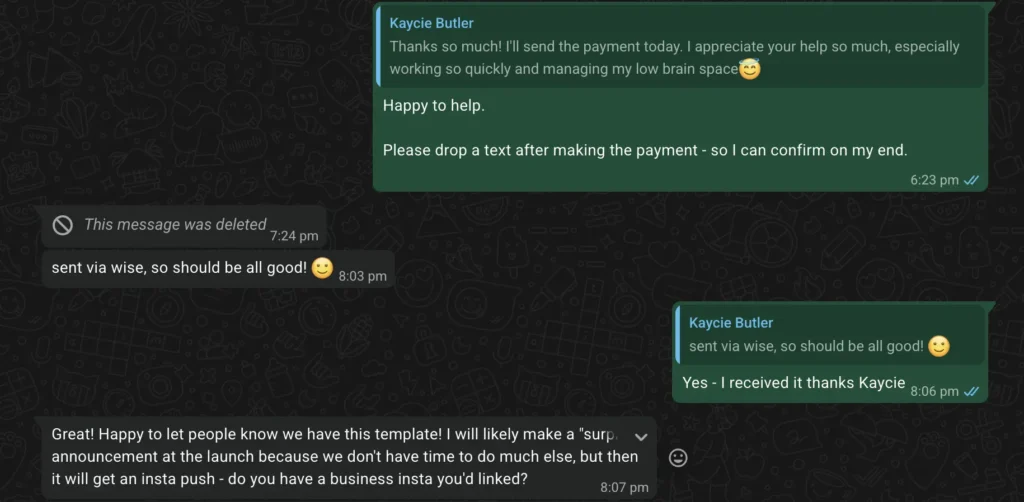
Thanks so much! I appreciate your help so much, especially working so quickly and managing my low brain space.
— Kaycie Butler, Scribology
What this project shows we can do
- Build a LaTeX document class from scratch
- Read the specification out of the source file
- Solve font substitution properly when the brand font cannot be used in LaTeX, including the knock-on problems most people miss
- Develop Professional LaTeX templates for Journals, Thesis, University, etc.
- Produce the documentation that makes a template usable by people who do not know LaTeX well
- Package for Overleaf so writer can directly upload to Overleaf and start using it without any installation.
Who we usually do this for
- Businesses and educators who publish templates or resources for researchers
- Universities, Journals, societies and publishers that need a LaTeX template.
- Research groups and labs that want one consistent house style across everyone’s papers
- Anyone with a Word template that needs a LaTeX equivalent.
Alongside our Word to LaTeX conversion work for individual authors, we build LaTeX templates for publishers and organisations and do general LaTeX typesetting. If you want the mechanics of moving a single document across, we have written up how to convert Word to LaTeX.