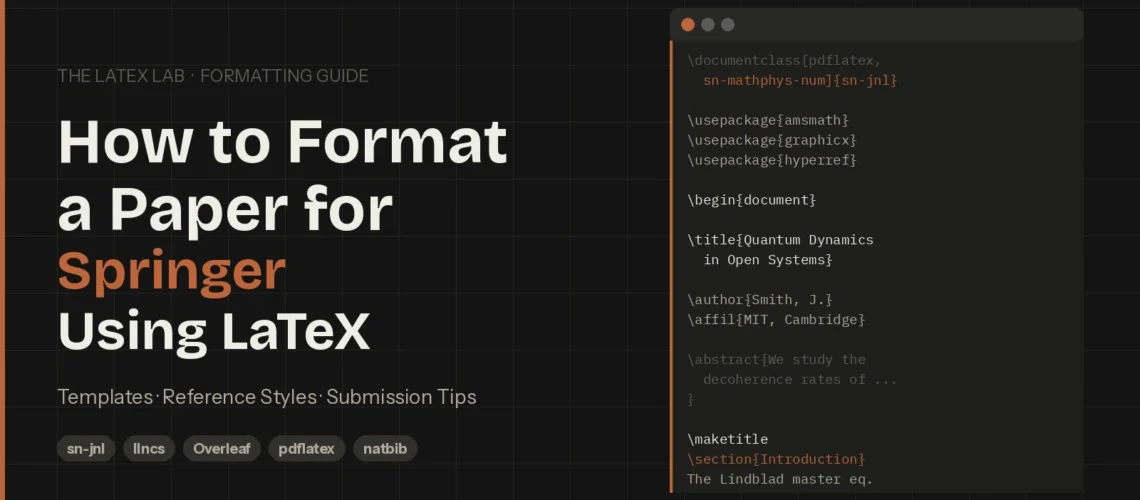
You open the Springer LaTeX template in Overleaf and see a wall of commented-out \documentclass lines – eight different reference style options, each pointing to a different .bst file. The template’s User Manual is 15 pages long. You still don’t know which line to uncomment.
Springer’s template complexity trips up researchers because Springer Nature isn’t one publisher with one template. It’s a publishing group covering Springer journals, Nature Portfolio journals, BMC journals, Lecture Notes in Computer Science (LNCS) conference proceedings, and book chapters – each with different formatting requirements, different document classes, and different submission systems. Choosing the wrong template or reference style is the most common reason Springer LaTeX submissions fail to compile during upload.
This guide cuts through the confusion. We’ll cover which template you actually need, how to set up the preamble, which reference style to pick, the Springer-specific errors you’ll hit, and exactly how to submit. Every recommendation comes from formatting hundreds of Springer submissions across all their journal families.
⚡ Need your Springer paper formatted by someone who’s done it hundreds of times?
Upload your manuscript and tell us the target Springer journal. We’ll handle the template, reference style, and compilation. Delivered in 72 hours. Guaranteed to compile.
Which Springer LaTeX Template Do You Actually Need?
This is the first question to answer, and getting it wrong wastes hours. Springer Nature uses four distinct template systems:
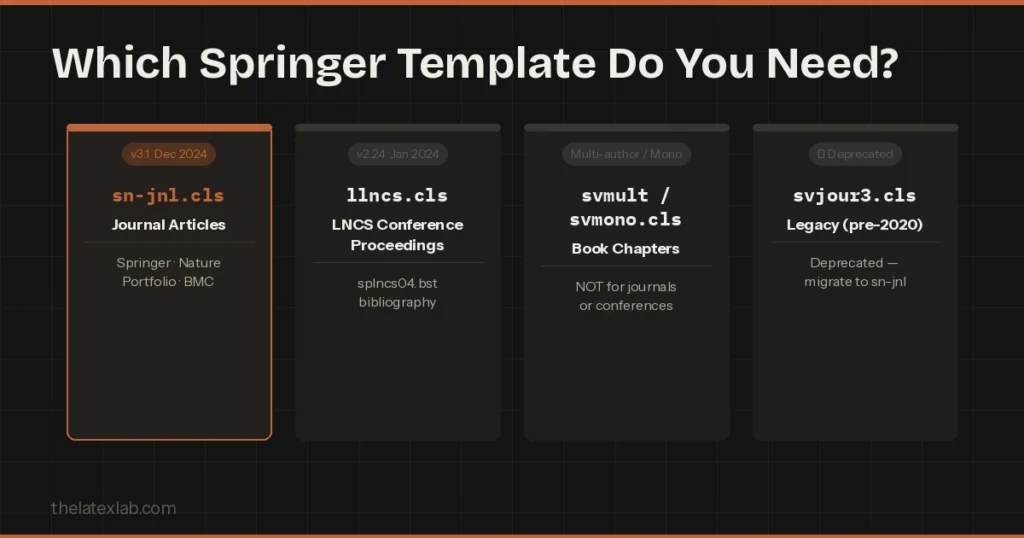
| You’re submitting… | Document Class | Where to Get It | Key Detail |
|---|---|---|---|
| Journal article (Springer, Nature Portfolio, BMC) | sn-jnl.cls | Overleaf or springernature.com LaTeX author support page | v3.1 (Dec 2024). Single template for ALL Springer Nature journal articles. |
| LNCS conference proceedings | llncs.cls | Overleaf or springer.com/gp/computer-science/lncs | v2.24 (Jan 2024). Different layout, bibliography (splncs04.bst), and author format. |
| Book chapter | svmult.cls / svmono.cls | Springer Manuscript Guidelines page | svmult = multi-author books. svmono = monographs. NOT for journals. |
| Legacy journal (pre-2020) | svjour3.cls | No longer officially distributed | Deprecated. Migrate to sn-jnl for new papers. |
If you’re submitting a journal article, use sn-jnl. It covers every Springer journal, every Nature Portfolio journal, and every BMC journal. The rest of this guide focuses on sn-jnl because it’s what 90% of Springer submitters need.
If you’re formatting for an LNCS conference, the setup is different enough that following this guide’s journal instructions will break your paper. We cover the key LNCS differences in a dedicated section below.
Already have a paper in Word? See our complete Word to LaTeX conversion guide.
Setting Up the Springer Nature Template (sn-jnl)
Open the template in Overleaf by searching “Springer Nature” in the template gallery, or download the .zip from Springer Nature’s LaTeX author support page. The .zip contains sn-jnl.cls, all eight .bst files, the sample article (sn-article.tex), and the User Manual PDF.
The Preamble: Choosing Your Document Class Options
When you open sn-article.tex, you’ll see multiple \documentclass lines, all commented out except one. Here’s what each option does:
% Pick ONE based on your journal's reference style:
\documentclass[pdflatex,sn-mathphys-num]{sn-jnl}

% Available options:
% sn-basic → Basic/Chemistry (numbered)
% sn-mathphys-num → Math & Physics (numbered)
% sn-mathphys-ay → Math & Physics (author-year)
% sn-vancouver-num→ Vancouver (numbered) - Medical
% sn-vancouver-ay → Vancouver (author-year)
% sn-apa → APA - Social Sciences
% sn-chicago → Chicago - Humanities
% sn-nature → Nature Portfolio journals ONLY

% Additional options:
% [referee] → Double-spaced for peer review
% [lineno] → Line numbers in margin
% [iicol] → Two-column layout (rare)
% [pdflatex] → Required for eJP submission
Always include [pdflatex]. It’s required for eJP (eJournalPress) and doesn’t hurt on other systems. If you’re unsure which submission system your journal uses, include it anyway.
Choosing the Right Springer Reference Style
The reference style isn’t a preference – it’s dictated by your target journal’s discipline. Choose wrong, and the editorial office returns your paper before review.
| Reference Style | Document Class Option | Citation Format | Typical Disciplines |
|---|---|---|---|
| Basic/Chemistry | sn-basic | Numbered [1] | Chemistry, General Science, Engineering |
| Math & Physics (Num) | sn-mathphys-num | Numbered [1] | Mathematics, Physics, CS |
| Math & Physics (AY) | sn-mathphys-ay | (Smith 2020) | Mathematics, Astronomy |
| Vancouver (Num) | sn-vancouver-num | Numbered [1] | Medicine, Health Sciences |
| Vancouver (AY) | sn-vancouver-ay | Author-Year | Biomedical, Public Health |
| APA | sn-apa | (Smith, 2020) | Psychology, Social Sciences |
| Chicago | sn-chicago | Author-Year/Notes | Humanities, History |
| Nature | sn-nature | Superscript1 | Nature Portfolio journals only |
How to find your journal’s style: Go to your journal’s page on SpringerLink → “Submission guidelines” → search for “reference style.” If it says “Springer Basic” or just “Numbered,” use sn-basic.
From our experience: when in doubt, sn-basic is the safest default. It compiles cleanly, uses numbered citations, and works with the widest range of Springer journals. You can switch styles later by changing one line.
5 Springer-Specific LaTeX Errors and How to Fix Them
These aren’t generic LaTeX errors – they’re Springer template problems we see repeatedly. For a broader reference, see our guide on common LaTeX compilation errors.
1. natbib Authoryear/Numbered Conflict
Symptom: “The package natbib has already been loaded with options: [authoryear].”
Fix: Never load natbib manually. The document class option handles it. Choose a -num variant for numbered refs. Delete any standalone \usepackage{natbib} from your preamble.
2. Undefined Control Sequence: \bibcommenthead
Symptom: Compilation fails with “undefined control sequence \bibcommenthead.”
Fix: Download the latest template (v3.1, December 2024) from Springer Nature’s author support page. This command was added in a newer version of sn-jnl.cls.
🔧 Spending hours debugging Springer template errors?
Our Build Doctor service fixes any LaTeX compilation error in under 24 hours. Send us your .tex file and error log. Fixed or free.
3. .bst File Not Found
Symptom: “I couldn’t open style file sn-mathphys-num.bst.”
Fix: Upload all eight .bst files from the template .zip to your Overleaf project root. Don’t put them in subdirectories. Or start from the official Overleaf template which includes everything.
4. eJP Compilation Failure (Missing pdflatex Option)
Symptom: Compiles locally but fails when uploaded to eJournalPress.
Fix: Add [pdflatex] to \documentclass: \documentclass[pdflatex,sn-basic]{sn-jnl}. Also check you haven’t loaded packages incompatible with pdflatex (like fontspec).
5. Bibliography Shows [?] Instead of Numbers
Symptom: Citations appear as [?] in the compiled PDF.
Fix: Run the full sequence: pdflatex → bibtex → pdflatex → pdflatex. Check your \bibliography{} command points to the correct .bib filename (without extension). Don’t manually set \bibliographystyle{} – sn-jnl sets it from your document class option.
Formatting for LNCS Conference Proceedings
If you’re submitting to a Springer LNCS conference, stop – do not use sn-jnl. LNCS has its own template:
% LNCS - completely different from sn-jnl
\documentclass[runningheads]{llncs}
\usepackage[T1]{fontenc}
\usepackage{graphicx}

\begin{document}
\title{Your Conference Paper Title}
\author{First Author\inst{1} \and Second Author\inst{2}}
\institute{University One \email{first@example.com}
\and University Two \email{second@example.com}}
\maketitle

\begin{abstract}
150–250 words.
\keywords{keyword1 \and keyword2 \and keyword3}
\end{abstract}

\bibliographystyle{splncs04}
\bibliography{references}
\end{document}
Key differences: LNCS uses \inst{} for affiliations (not separate blocks), bibliography style is splncs04.bst, section headings are limited to two numbered levels, and proceedings have strict page limits (typically 12–16 pages including references).
For IEEE conferences, see our IEEE LaTeX formatting guide – completely different template.
Springer’s Three Submission Systems
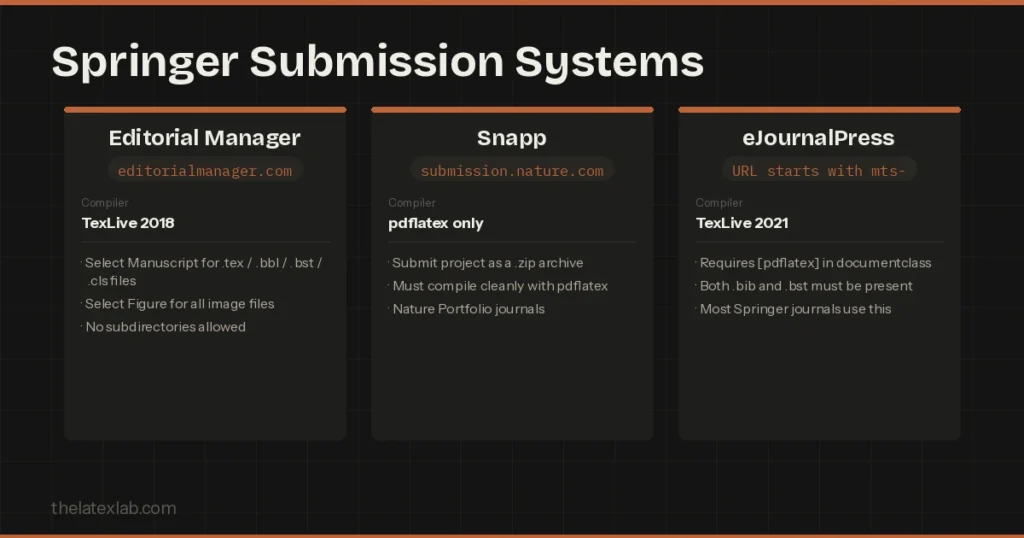
Springer Nature runs three different submission platforms, each handling LaTeX differently:
| System | How to Identify | Compiler | Key Requirements |
|---|---|---|---|
| Editorial Manager | URL: editorialmanager.com | TexLive 2018 | Select “Manuscript” for .tex/.bbl/.bst/.cls files. Select “Figure” for images. No subdirectories. |
| Snapp | URL: submission.nature.com | pdflatex only | Submit as .zip. Must compile with pdflatex. |
| eJournalPress | URL starts with mts- | TexLive 2021 | Requires [pdflatex] option. Both .bib and .bst must be present. |
Pro tip: The most reliable approach across all three systems is to pre-compile your .bib into a .bbl file locally, then upload the .bbl alongside your .tex and .bst. This avoids BibTeX compilation issues on their servers. In Overleaf, download the .bbl from the Logs & Output panel after a successful compile.
Springer LaTeX Submission Checklist
We use this exact checklist for every Springer submission we handle:
- Correct document class: sn-jnl for journals, llncs for LNCS, svmult/svmono for books
- Reference style matches journal guidelines (check SpringerLink → Submission guidelines)
- [pdflatex] option in \documentclass
- No manual \usepackage{natbib}
- All .bst files in project root (not subdirectories)
- Figures as separate files – EPS or PDF for vector
- All files flat in one directory (no subfolders)
- \label after \caption in every figure/table
- Abstract: 150–250 words, no citations or equations
- Special characters encoded (\”a, \”o for umlauts)
- Full compile: pdflatex → bibtex → pdflatex → pdflatex = zero errors
- .bbl uploaded alongside .tex as backup
