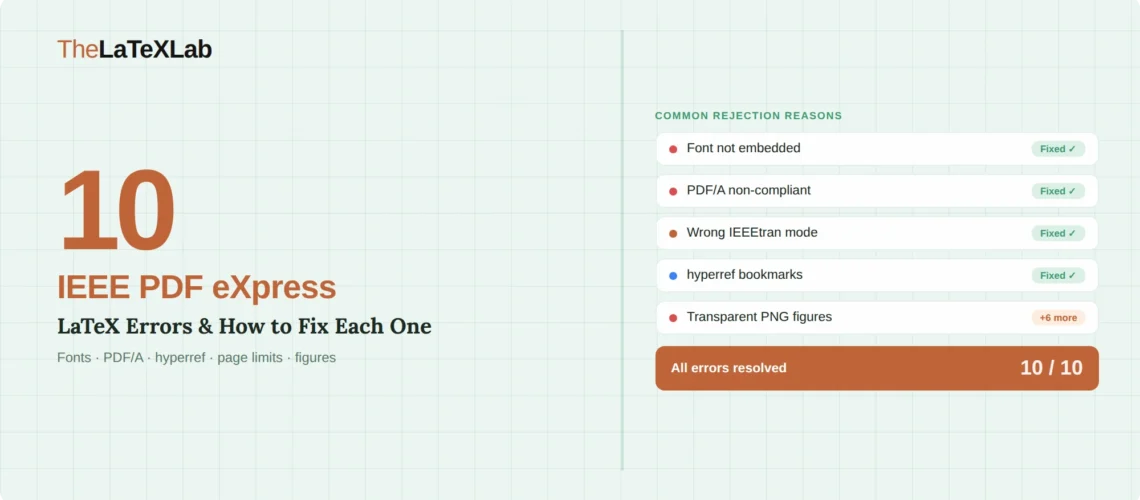
The most common IEEE PDF eXpress LaTeX error has nothing to do with your .tex file. It comes from your figures. You compiled a clean PDF in Overleaf, uploaded it to PDF eXpress for the Xplore compliance check, and received an email listing font embedding failures across dozens of instances. The fonts in question are Helvetica, Times-Roman, or Arial, and they are not in your LaTeX document. They are inside the PDF or EPS figures you exported from MATLAB, R, or matplotlib.
This post covers the 10 specific errors IEEE’s PDF eXpress system flags on LaTeX submissions, with the exact error message, why it happens, and the fix. If you are setting up IEEEtran from scratch, start with our IEEE LaTeX template guide instead. This post assumes your paper is written and PDF eXpress or your conference submission system is rejecting it.
Quick answer: Why did IEEE PDF eXpress reject your LaTeX paper?
IEEE’s PDF eXpress checks your PDF against Xplore’s archival standards. The most common reasons it fails:
- Fonts from PDF/EPS figures are not embedded in the final document (this causes 80%+ of failures)
- Your PDF is not PDF/A compliant and contains transparency, external dependencies, or non-embedded color profiles
- The hyperref package added bookmarks or form fields that PDF eXpress rejects
- You used the wrong IEEEtran mode (conference vs journal) or an outdated .cls version
- Your camera-ready paper is missing the copyright notice or has page limit violations
PDF eXpress is not a submission system. It is a compliance checker. Passing it is a separate step from submitting your paper, and every fix below can be done without changing your research content.
1. Fonts From Your Figures Are Not Embedded
What you see: Font Helvetica-Bold is not embedded (34x), Font TimesNewRomanPSMT is not embedded (817x), or similar errors listing specific fonts and how many times they appear unembedded.
Why it happens: pdflatex embeds all the fonts it uses in your .tex file. The problem is almost never your LaTeX code. It is the PDF or EPS figures you included with \includegraphics{}. When MATLAB exports a figure to PDF, it may reference system fonts like Helvetica without embedding them. When R’s ggplot2 exports to PDF, it does the same with Arial or Times. When pdflatex pulls these figures into your document, the unembedded font references carry over into your final PDF.
The fix (three options, pick one):
Option A: Re-export figures with embedded fonts. In MATLAB, use exportgraphics(fig,'figure.pdf','ContentType','vector') which embeds fonts by default. In R, use cairo_pdf() instead of pdf(). In matplotlib, use plt.savefig('figure.pdf', backend='pgf') or set pdf.fonttype: 42 in your matplotlibrc.
Option B: Run your final PDF through ghostscript to force-embed all fonts: ps2pdf14 -dPDFSETTINGS=/prepress yourfile.pdf yourfile-embedded.pdf. This re-encodes the entire PDF with all fonts embedded. It works on Linux, Mac, and Windows (via MiKTeX or TeX Live).
Option C: Upload your LaTeX source files to PDF eXpress instead of your compiled PDF. PDF eXpress can compile your .tex files directly and will produce an Xplore-compliant PDF. ZIP your .tex, .bib, .bbl, .cls, .bst, and all figure files into a single archive and upload it as a source submission.
2. Your PDF Is Not PDF/A Compliant
What you see: PDF eXpress reports that your file does not meet PDF/A archival requirements, or the submission system flags “PDF/A Required.”
Why it happens: IEEE Xplore requires PDF/A-1b compliance for long-term archival. PDF/A means the document is entirely self-contained: all fonts embedded, no external dependencies, no JavaScript, no transparency. A standard PDF compiled by pdflatex may not meet all of these criteria, especially if it includes figures with transparency layers or links to external color profiles.
The fix: The simplest approach is to let PDF eXpress compile your source files (Option C above). If you need to produce a PDF/A yourself, add the following to your preamble before any other packages:
\usepackage[a-1b]{pdfx}
This configures pdflatex to produce PDF/A-1b output. You will also need to create a metadata file (yourfile.xmpdata) in the same directory. If the pdfx package causes conflicts with other packages in your preamble, the ghostscript approach from Section 1 (Option B) often produces a PDF that passes PDF eXpress even without formal PDF/A tagging.
We test every IEEE paper against PDF eXpress before delivery.
Upload your manuscript and tell us the conference or journal. We deliver a PDF that passes PDF eXpress on the first check, with all fonts embedded and Xplore compliance verified.
3. Hyperref Is Adding Bookmarks or Form Fields
What you see: Document contains bookmarks or Document contains form fields in the PDF eXpress error report.
Why it happens: The hyperref package, which most LaTeX users load for clickable cross-references and URLs, generates PDF bookmarks and interactive form fields by default. PDF eXpress flags these as non-compliant because they can interfere with Xplore’s document processing.
The fix: Either remove hyperref entirely from your preamble (the simplest option for camera-ready submissions), or disable the features PDF eXpress objects to:
\usepackage[hidelinks,bookmarks=false]{hyperref}
If you still get form field errors after this, check whether any other package in your preamble creates interactive elements. The url package is a lightweight alternative to hyperref if you only need formatted URLs without interactive features.
4. You Used the Wrong IEEEtran Mode
What you see: Your paper looks visually wrong compared to other published papers in the same venue. Author blocks are in the wrong format, biographies appear where they should not, or the two-column layout has unexpected spacing.
Why it happens: IEEEtran has two primary modes: \documentclass[conference]{IEEEtran} and \documentclass[journal]{IEEEtran}. They produce substantially different output. Conference mode uses a different author block layout, omits biographies, and has different heading styles. Journal mode includes biography support and different spacing. Using journal mode for a conference paper (or vice versa) produces formatting that reviewers and editors will flag immediately.
The fix: Check your conference or journal’s author instructions for the exact \documentclass options they require. For conferences, use [conference]. For Transactions journals, use [journal]. For IEEE Access, use [journal]. For Computer Society conferences, use [conference,compsoc] (not the deprecated [compsocconf], which does not exist in current IEEEtran and produces a warning).
5. The Copyright Notice Is Missing or Incorrect
What you see: Your conference or journal submission is returned with a note that the copyright notice is missing from the first page, or the copyright text does not match the required format.
Why it happens: IEEE conference proceedings require a specific copyright notice on the first page of every camera-ready paper. This notice includes the conference’s ISBN, the year, and the standard IEEE copyright text. It is not part of the default IEEEtran template because the notice varies per conference.
The fix: Add the following code before \maketitle:
\IEEEoverridecommandlockouts
Then add the copyright line your conference specifies. For example:
\IEEEpubid{\makebox[\columnwidth]{979-8-3503-XXXX-X/24/\$31.00~\copyright2026 IEEE\hfill} \hspace{\columnsep}\makebox[\columnwidth]{ }}
Then add \IEEEpubidadjcol after \maketitle to ensure the copyright notice does not displace column content. Your conference will provide the exact ISBN and copyright text in their camera-ready instructions. Do not guess these values.
Camera-ready formatting for IEEE conferences can be tricky.
We handle copyright notice insertion, PDF eXpress compliance, column balancing, and page limit verification. Upload your accepted paper and the camera-ready instructions.
6. Your IEEEtran.cls Is Outdated
What you see: LaTeX Warning: Unused global option(s): [compsocconf], or formatting that does not match current IEEE standards, or missing features like \IEEEoverridecommandlockouts.
Why it happens: Some conferences distribute an old IEEEtran.cls (V1.7a from 2007) bundled with their submission instructions. The current version is V1.8b (2015), which is significantly different. The old version does not support modern ComSoc formatting, has different spacing calculations, and lacks several commands that current IEEE templates expect.
The fix: Download the current IEEEtran.cls from CTAN or use the Overleaf IEEE template, which stays up to date. Check the version by opening IEEEtran.cls and looking for the \ProvidesClass line near the top of the file. If it says anything earlier than V1.8b (2015/08/26), replace it.
7. The Last Page Columns Are Not Balanced
What you see: The left column on the final page of your conference paper is full while the right column is mostly empty, or the columns end at visibly different heights.
Why it happens: LaTeX does not automatically balance columns on the last page. IEEE conference proceedings require balanced columns, and reviewers or submission systems may flag unbalanced columns as a formatting violation. IEEEtran even prints a reminder at compilation: “Before submitting the final camera ready copy, remember to: 1. Manually equalize the lengths of two columns on the last page.”
The fix: Add \usepackage{balance} to your preamble and place \balance at the start of the last page’s content (typically before the references). Alternatively, use \IEEEtriggeratref{N} where N is the reference number at which you want the balancing to start. Adjust N until the columns look even.
8. Page Limit Violations and Margin Tricks
What you see: Your paper exceeds the page limit, or it fits the page limit but uses non-standard margins, reduced font sizes, or compressed spacing to do so.
Why it happens: IEEE conferences enforce strict page limits (typically 6-8 pages). Researchers sometimes try to fit extra content by reducing margins, using \vspace{-Xpt} commands, or loading packages that change the default IEEEtran spacing. PDF eXpress and conference reviewers can detect these changes because IEEEtran’s margins, fonts, and spacing are precisely defined.
The fix: Do not alter IEEEtran’s margins, font sizes, or spacing. The template explicitly states: “All margins, column widths, line spaces, and text fonts are prescribed; please do not alter them.” If your paper is over the limit, cut content rather than compressing formatting. IEEE proceedings editors reject papers with non-standard formatting even if they pass PDF eXpress, because the final proceedings need uniform layout across all papers.
9. Transparent PNG Figures Fail Conversion
What you see: PDF eXpress conversion fails specifically when processing your source files, with errors pointing to figure files. Or figures render with black backgrounds where transparency should be.
Why it happens: PNG files with alpha channel transparency are not compatible with PDF/A, which PDF eXpress targets. When PDF eXpress tries to convert your LaTeX source files, it may fail entirely when encountering transparent PNGs, or produce a PDF with visual artifacts.
The fix: Flatten the transparency in your PNG figures before including them. In any image editor, place a white background behind your figure content and re-export as PNG without transparency. Or convert to PDF format: vector PDFs avoid the issue entirely, and raster content in PDF can be flattened during export. For figures exported from code (matplotlib, R), explicitly set a white background: fig.patch.set_facecolor('white') in matplotlib or theme(plot.background = element_rect(fill = "white")) in ggplot2.
For a broader overview of LaTeX compilation errors across all publishers, see our guide to common LaTeX compilation errors. If you are also submitting to Elsevier or Springer, our Elsevier template guide and Springer template guide cover those publishers’ submission systems. Researchers on LaTeX.org have also documented many PDF eXpress-specific fixes in detail.
10. PDF eXpress Wants a DVI File You Cannot Produce
What you see: PDF eXpress documentation or error messages mention that “a DVI file is required for LaTeX conversions” but your workflow uses pdflatex, which does not produce DVI output.
Why it happens: PDF eXpress’s LaTeX conversion pipeline historically expected the traditional latex → dvi → ps → pdf workflow. If you compile with pdflatex (which produces PDF directly), there is no DVI file to upload. This is a legacy requirement that creates confusion because most modern LaTeX workflows use pdflatex.
The fix: You have two paths. The simpler one: upload your already-compiled PDF to PDF eXpress for “checking” (not “conversion”). PDF eXpress can validate a PDF you compiled yourself. If it passes the font and compliance checks, you are done. The alternative: if your conference requires you to upload source files for conversion, switch your compilation from pdflatex to the traditional latex → dvips → ps2pdf pipeline. This means converting all your figures to EPS format and using latex instead of pdflatex. Given the extra work involved, most researchers find it easier to compile with pdflatex, fix any font embedding issues with ghostscript, and upload the finished PDF for checking.
Pre-Submission Checklist
Run through this before uploading to PDF eXpress or your conference submission system.
Fonts: Open your PDF in Adobe Acrobat (File, Properties, Fonts tab). Every font listed should show “Embedded” or “Embedded Subset.” If any font shows no embedding status, re-export the figure that contains it or run the ghostscript fix from Section 1.
PDF/A: If your conference requires PDF/A, use the pdfx package or let PDF eXpress compile your source files directly.
Hyperref: Either remove it from your preamble or use [hidelinks,bookmarks=false]. Check that no other package creates interactive PDF elements.
Template mode: Confirm your \documentclass matches your venue: [conference] for conferences, [journal] for Transactions and Access. Use current IEEEtran.cls (V1.8b).
Copyright notice: For camera-ready conference papers, insert the exact copyright text your conference provided using \IEEEoverridecommandlockouts and \IEEEpubid{}.
Page limit: No margin changes, no font size reductions, no negative vspace tricks. Count pages in the compiled two-column format, not in your editor.
Figures: No transparent PNGs. All figures in PDF, PNG (opaque), or JPG format. No EPS unless you are using the latex/dvips pipeline.
Column balance: For conferences, balance the last page columns using the balance package or \IEEEtriggeratref{}.
