LaTeX Resume Builder
Use this LaTeX Resume Builder to make your LaTeX resume online by filling in a simple form. Choose your field and no. of years of experience, type your details, preview the resume PDF as you type and download it. The LaTeX resume builder writes the LaTeX code and compiles it automatically for you, inside your browser.
Create your LaTeX resume
Free. No sign-up. Your resume stays in your browser.
How to make a resume in LaTeX with this builder
Choose your field and experience
Pick them at the top of this page and click "Create my resume". The editor opens with an example resume for your field, in the LaTeX template that suits it. You can also start from one of the LaTeX resume templates.
Replace the example with your details
Type your details into the form, section by section, and preview the resume PDF as you go. You can add, hide or reorder sections, and change the LaTeX template at any time without retyping anything.
Download your resume as a PDF
Download the PDF when it is ready. It has no watermark. Your resume stays saved in your browser, so you can come back and update it later.
What you can do in the LaTeX resume builder
Preview the resume PDF
The PDF is compiled from LaTeX as you type your details, so you can see your resume updating in real time.
Edit the LaTeX code
If you know LaTeX, open the "LaTeX code" tab and change the code of your resume directly.
See what an ATS reads
The "ATS text" view shows the text an applicant tracking system reads from your resume, and in what order.
Fit to one page
If your resume runs onto a second page, "Fit to one page" tightens the spacing and margins until it fits.
Change the template
Your details are kept apart from the design, so you can switch to another LaTeX template at any time.
US Letter or A4
Choose US Letter for the US and Canada, or A4 for the UK, Europe and India.
The LaTeX is compiled inside your own browser. Your resume is not uploaded to any server.
Questions
Yes. Making your resume, editing it and downloading the PDF are free. There is no sign-up, and the PDF has no watermark.
No. You fill the details in a form, and the builder automatically writes the LaTeX code and compiles it for you. If you do know LaTeX, you can change the code in the "LaTeX code" tab.
No. The builder compiles the LaTeX inside your browser, so there is nothing to install and no account to create.
In your own browser, on your device. Nothing is uploaded. To keep a copy or to move your resume to another computer, use "Save a copy to a file" in the editor's menu, then "Open a saved copy" on the other computer.
Yes. Start from the LaTeX CV Template, or from the Academic LaTeX CV Template for an academic CV.
The templates in the builder are made to be read correctly by an ATS: one column, embedded fonts and real text. Before you download, you can also check what an ATS will read in the "ATS text" view to confirm.
LaTeX resume templates in the builder
-
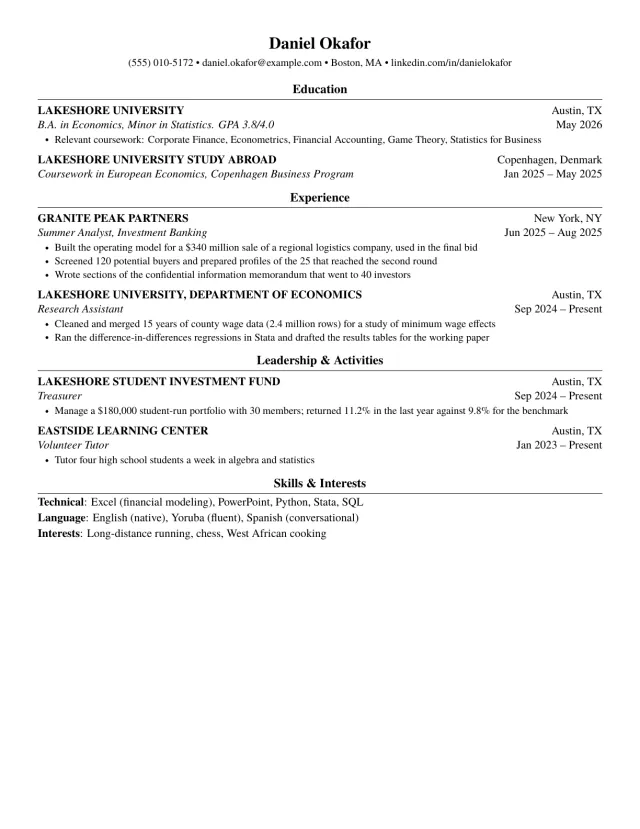
Harvard LaTeX Resume Template
The classic one-page format from Harvard's career office guides, rebuilt in LaTeX. Clean and traditional.
- ATS friendly
- Harvard style
-
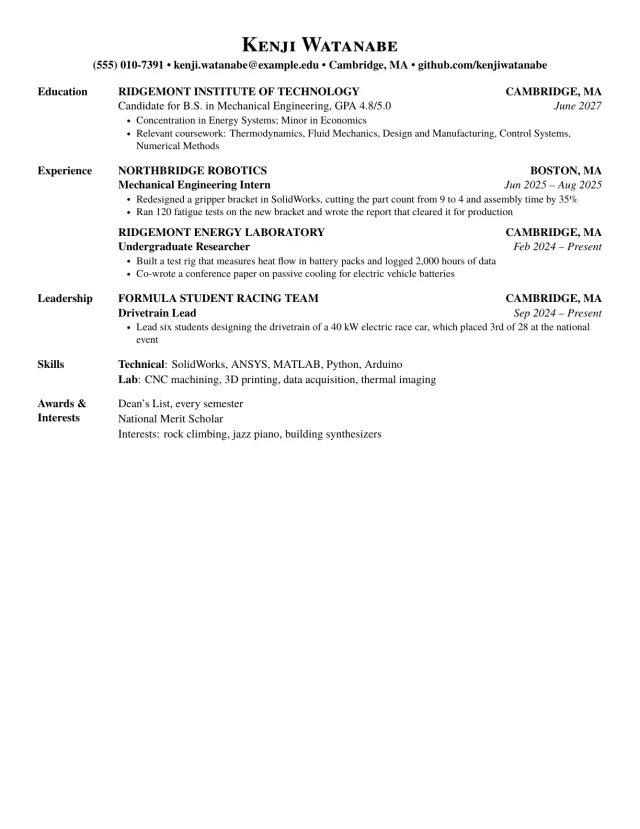
MIT LaTeX Resume Template
The layout of MIT's career office sample resumes, rebuilt in LaTeX. Section names on the left, set in Times.
- ATS friendly
- MIT style
-
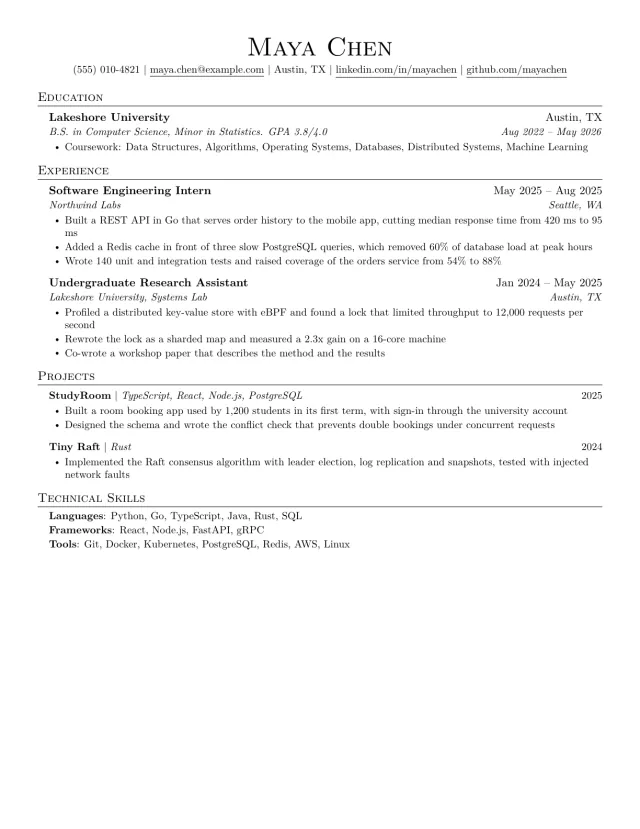
Jake's LaTeX Resume Template
The one-page LaTeX resume that students and engineers know by name. Serif, centred name, ruled headings.
- ATS friendly
- Classic style
Made by a LaTeX expert team
TheLaTeXLab has built a LaTeX template for Purdue University, and we format journal papers, theses and books in LaTeX for researchers and universities. The same team builds and tests this LaTeX resume builder.
See our other free LaTeX tools