
To add keywords in LaTeX, use the keywords command of your journal’s template and place it with the abstract: the keyword environment in elsarticle, IEEEkeywords in IEEEtran, \keyword{} in MDPI, and \keywords{} in acmart, sn-jnl, llncs and amsart. The standard article class has no keywords command, so there you define one yourself.
The separator also changes by template: commas in most, \sep in elsarticle, \and in llncs and semicolons in MDPI. Every example below was compiled in the current version of each template, with the output shown under the code.
Keywords command for each LaTeX template
| Template | Command | Separator | Where it goes |
|---|---|---|---|
| article (standard class) | None, define \keywords | Comma | Inside the abstract |
| elsarticle (Elsevier) | \begin{keyword}...\end{keyword} | \sep | After the abstract, inside frontmatter |
| IEEEtran (IEEE) | \begin{IEEEkeywords}...\end{IEEEkeywords} | Comma | After the abstract |
| sn-jnl (Springer Nature) | \keywords{...} | Comma | After \abstract, before \maketitle |
| llncs (Springer LNCS) | \keywords{...} | \and | Inside the abstract |
| acmart (ACM) | \keywords{...} | Comma | Before \maketitle |
| MDPI | \keyword{...} | Semicolon | After \abstract, before \begin{document} |
| amsart (AMS) | \keywords{...} | Comma | Before \maketitle |
How to add keywords in the article class
The standard article class has no \keywords command. Using it gives ! Undefined control sequence. Define the command in the preamble, then use it inside the abstract:
\documentclass{article}
\newcommand{\keywords}[1]{\par\medskip\noindent\textbf{Keywords:} #1}

\begin{document}
\title{Thermal Stability of Perovskite Solar Cells}
\author{A. Author}
\date{}
\maketitle

\begin{abstract}
We study how perovskite solar cells degrade under heat.
\keywords{perovskite, solar cells, thermal stability}
\end{abstract}
\end{document}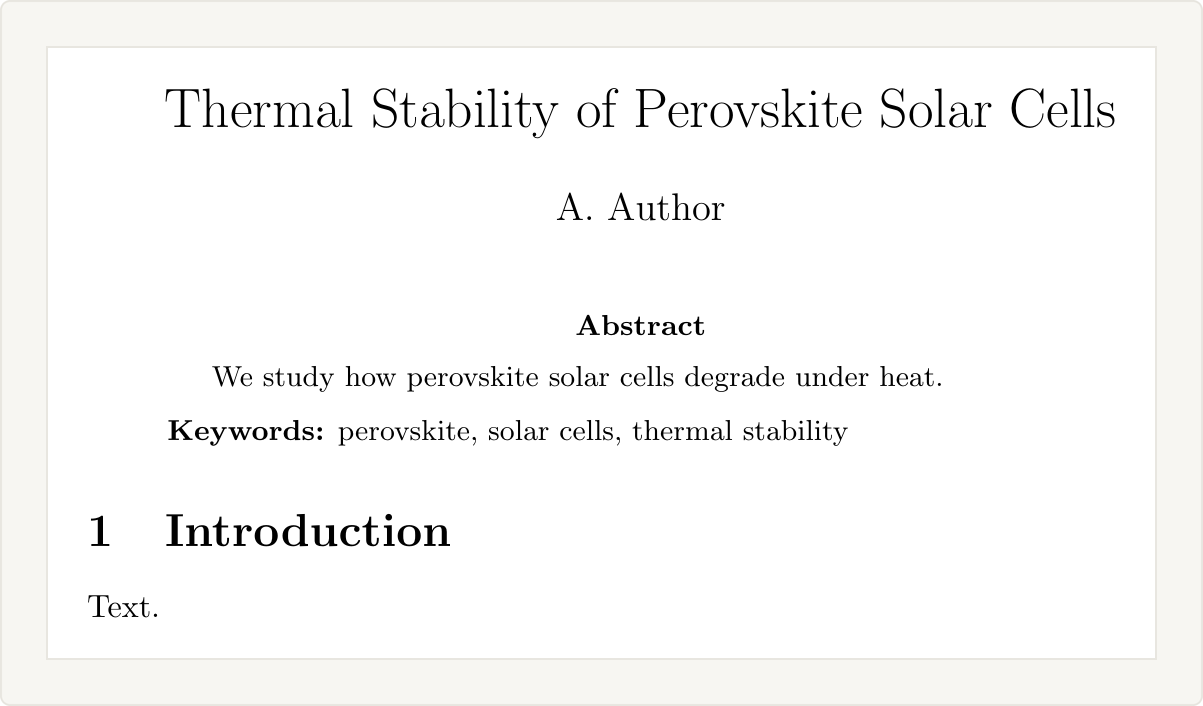
Change Keywords: in the definition to any label you want, such as “Key words” or “Index terms”.
Keywords in Elsevier papers (elsarticle)
In elsarticle, keywords go in a keyword environment after the abstract, inside frontmatter, with \sep between them:
\begin{frontmatter}
\title{Thermal Stability of Perovskite Solar Cells}
\author{A. Author}
\begin{abstract}
We study how perovskite solar cells degrade under heat.
\end{abstract}
\begin{keyword}
perovskite \sep solar cells \sep thermal stability
\end{keyword}
\end{frontmatter}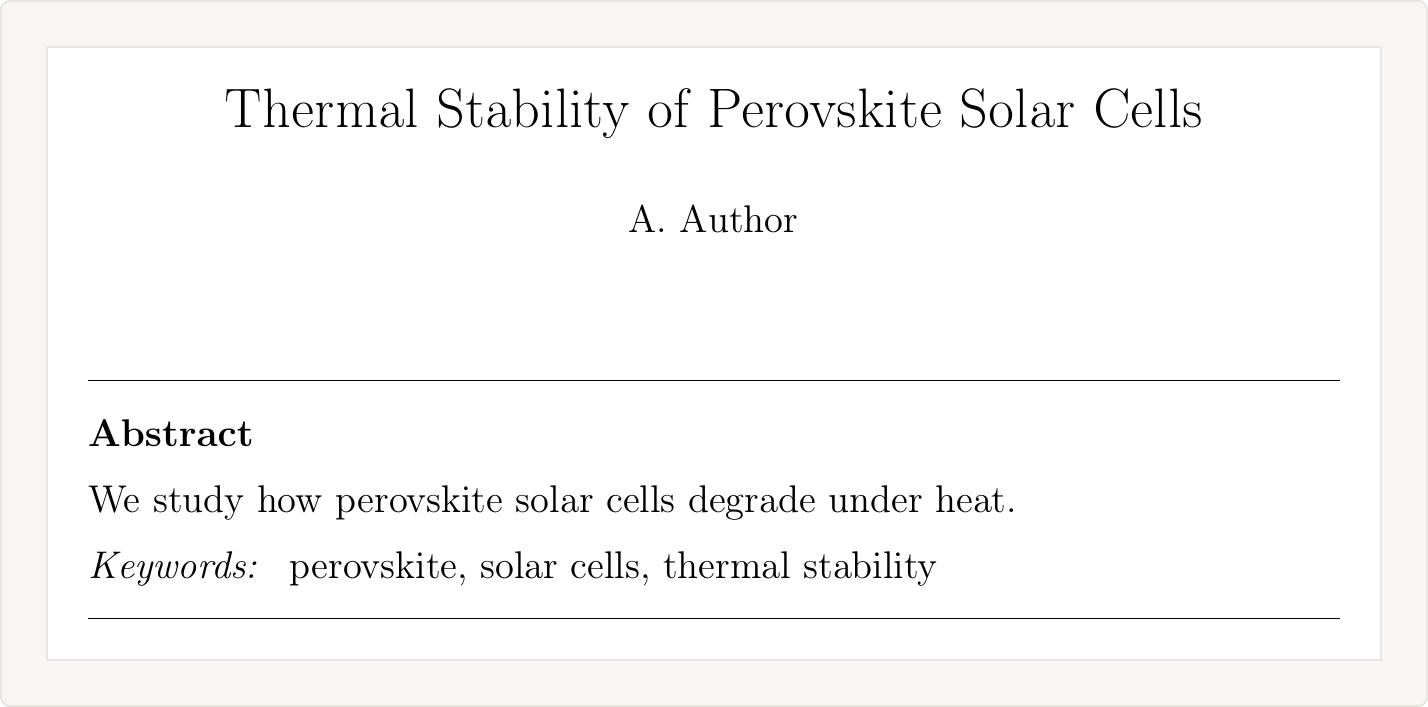
Commas print the same on the page, but the elsarticle documentation asks for \sep, so use it. MSC classification codes go in the same environment with \MSC. The elsarticle template setup covers the rest of the front matter.
Keywords in IEEE papers (IEEEtran)
IEEEtran uses the IEEEkeywords environment right after the abstract, with commas between keywords. IEEE prints them under the label “Index Terms”:
\maketitle
\begin{abstract}
We study how perovskite solar cells degrade under heat.
\end{abstract}
\begin{IEEEkeywords}
Perovskite, solar cells, thermal stability.
\end{IEEEkeywords}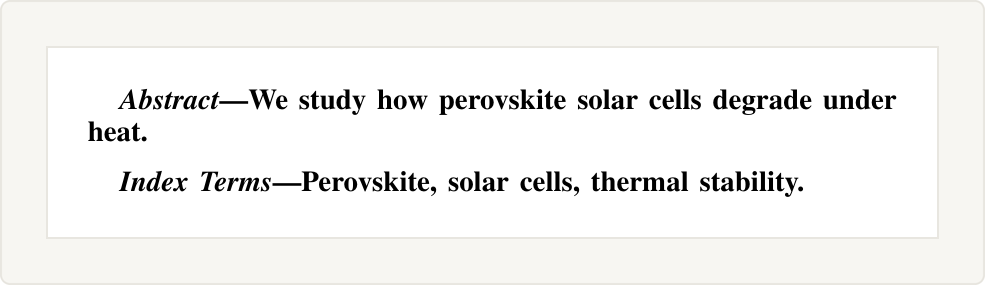
IEEEtran (v1.8b) prints “Index Terms” in both journal and conference mode. If your conference asks for the label “Keywords”, add \renewcommand{\IEEEkeywordsname}{Keywords} to the preamble.
For Computer Society and Transactions on Magnetics journals, the abstract and keywords go inside \IEEEtitleabstractindextext{...} before \maketitle, as the IEEEtran HOWTO explains. The same document says not to use math or special symbols in keywords. For which IEEE template to start from, see the IEEE LaTeX template guide.
Keywords in Springer Nature journals (sn-jnl)
In the Springer Nature template (sn-jnl.cls, version 3.1 of December 2024), write \keywords{} after \abstract{} and before \maketitle, with commas between keywords:
\abstract{We study how perovskite solar cells degrade under heat.}
\keywords{perovskite, solar cells, thermal stability}
\maketitle
If \keywords comes after \maketitle, the keywords do not appear and LaTeX shows no error. The sn-jnl.cls setup guide covers downloading the template and choosing the reference style.
Keywords in Springer LNCS papers (llncs)
In llncs, used for Lecture Notes in Computer Science proceedings, \keywords{} goes inside the abstract environment. Separate keywords with \and and capitalize the first letter of each:
\begin{abstract}
We study how perovskite solar cells degrade under heat.
\keywords{Perovskite \and Solar cells \and Thermal stability}
\end{abstract}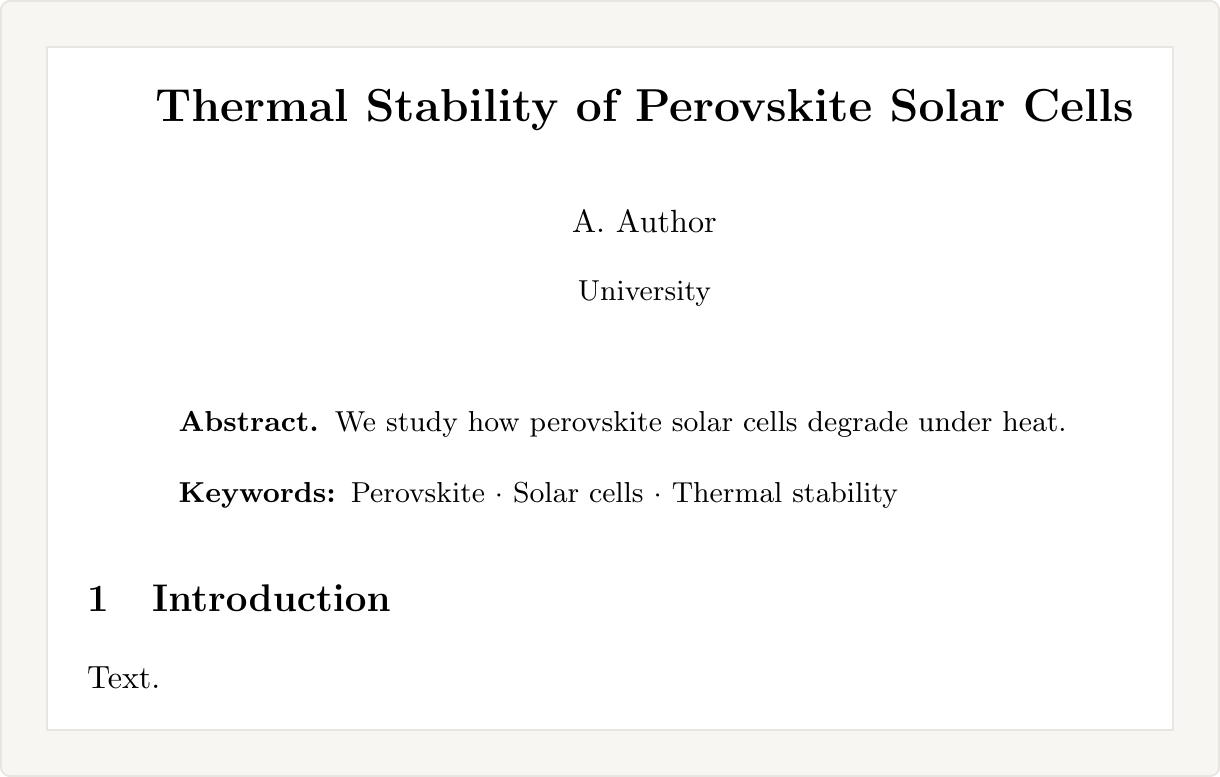
The class prints \and as a middle dot. Both rules come from the llncs documentation.
Keywords in ACM papers (acmart)
In acmart, write \keywords{} with commas, after the abstract and before \maketitle:
\begin{abstract}
We study how perovskite solar cells degrade under heat.
\end{abstract}
\keywords{perovskite, solar cells, thermal stability}
\maketitle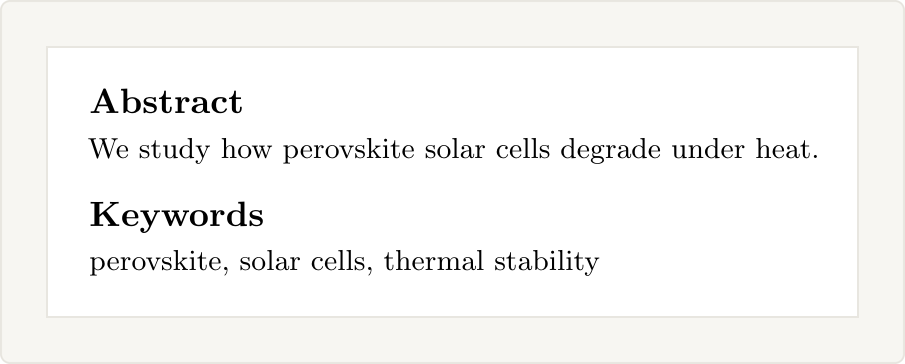
As in sn-jnl, keywords placed after \maketitle are dropped without an error. ACM papers also need CCS concepts (CCSXML and \ccsdesc), which are separate from keywords; the acmart documentation shows how to generate them.
Keywords in MDPI papers
MDPI’s template uses \keyword{}, singular, with semicolons between keywords. It goes after \abstract{} in the preamble, before \begin{document}:
\abstract{We study how perovskite solar cells degrade under heat.}
\keyword{perovskite; solar cells; thermal stability}
\begin{document}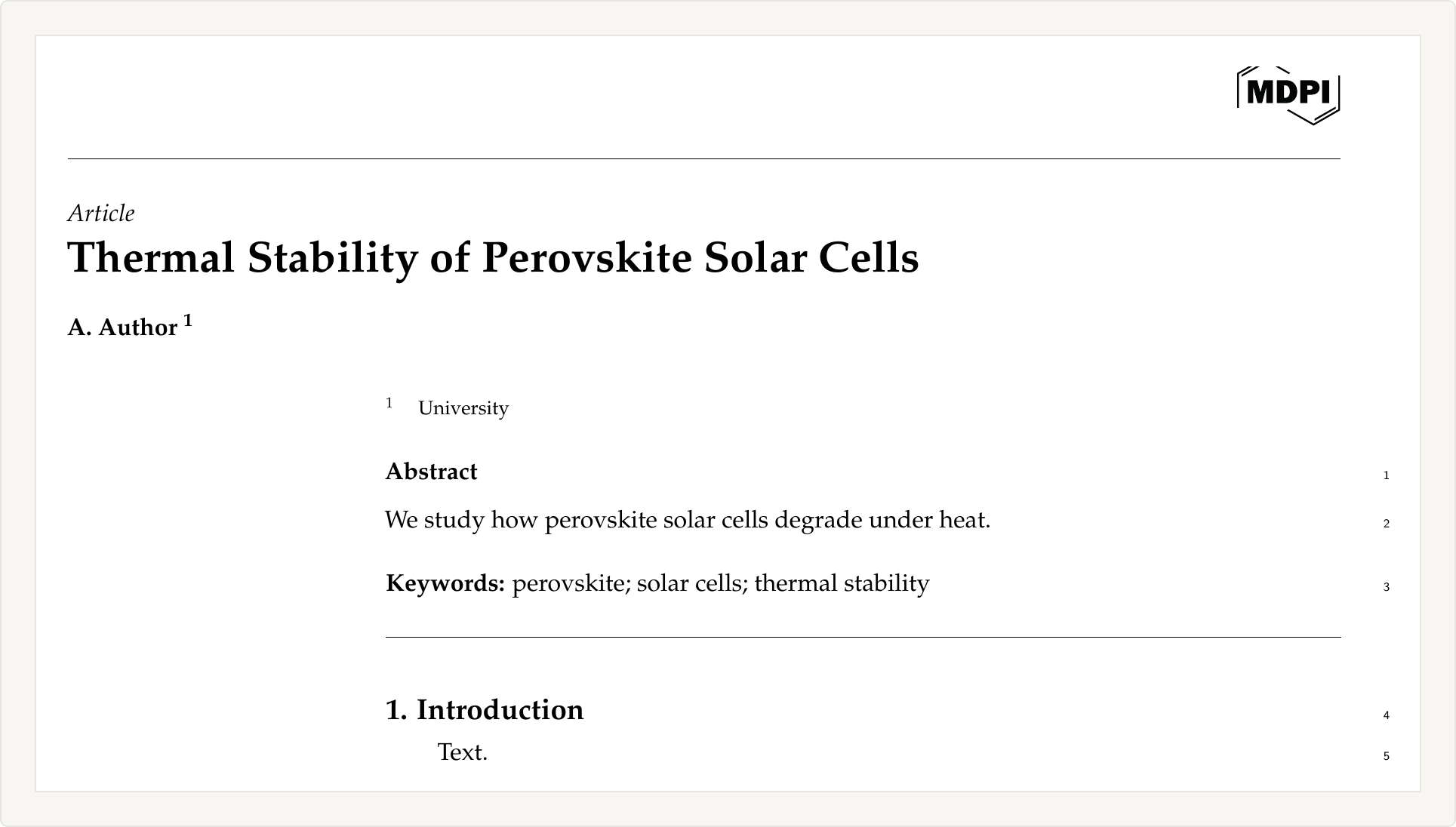
Writing \keywords with an s gives ! Undefined control sequence. in the MDPI class. The template asks for three to ten keywords. Get the template from MDPI’s LaTeX page, and see how to submit LaTeX to MDPI for the upload.
Want us to set up the whole paper in the journal’s template?
We build papers from your Word file in the journal’s own LaTeX template, with the title page, abstract, keywords and references set the way the author guidelines ask. You pay after you review the first draft.
Keywords in AMS papers (amsart)
In amsart, write \keywords{} before \maketitle, usually next to \subjclass. AMS prints them as a footnote at the bottom of the first page, labelled “Key words and phrases”:
\title{Thermal Stability of Perovskite Solar Cells}
\author{A. Author}
\keywords{perovskite, solar cells, thermal stability}
\subjclass[2020]{82D37}
\begin{abstract}
We study how perovskite solar cells degrade under heat.
\end{abstract}
\maketitle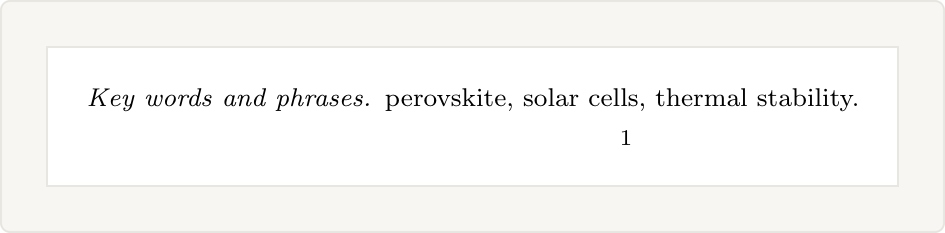
How to add keywords to the PDF metadata
The commands above print keywords on the page. To also store them in the PDF file properties, set pdfkeywords with hyperref:
\usepackage{hyperref}
\hypersetup{
  pdftitle={Thermal Stability of Perovskite Solar Cells},
  pdfkeywords={perovskite, solar cells, thermal stability}
}
In our test compiles, only the MDPI class copied the keywords into the PDF metadata by itself. elsarticle, IEEEtran, sn-jnl and acmart left the field empty. The option is described in the hyperref manual. Check whether your journal’s author guidelines ask for it.
Errors when adding keywords
Undefined control sequence on \keywords
The class you use has no \keywords command. This happens in the standard article class and in MDPI, where the command is \keyword. Use your template’s command from the table above, or define one as shown for the article class. More causes of this error are in the Undefined control sequence fix guide.
Keywords do not appear in the PDF
In acmart and sn-jnl, \keywords placed after \maketitle is ignored without any warning. Move it above \maketitle. In elsarticle, check the keyword environment is inside frontmatter.
Wrong separator
Commas in llncs print as commas, not the middle dots the class gives with \and, so the paper no longer matches the LNCS style. Commas in MDPI print fine but do not match the template, which uses semicolons. Use the separator from the table for your template.
