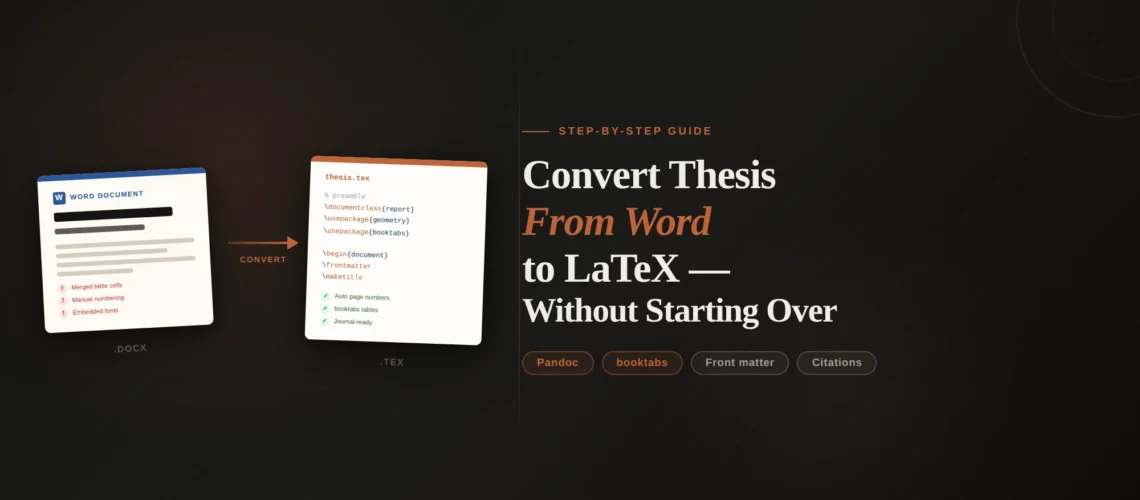
You have a 200-page thesis in Word. Your university or committee wants it in LaTeX. The thought of retyping six chapters, 80 equations, 15 tables, a 150-entry bibliography, and three appendices from scratch is enough to make you consider dropping out. The good news: you don’t have to start over. The bad news: you can’t just run Pandoc and get a working thesis. The reality is somewhere in between, and this guide shows you exactly how to convert thesis from Word to LaTeX chapter by chapter without losing your mind or your content.
We have converted thesis-length documents for PhD and Masters candidates at universities across Australia, Germany, the US, and the UK. A 200-page thesis is a fundamentally different conversion project than a 15-page journal paper – it has front matter, back matter, cross-references that span hundreds of pages, appendices with different numbering, and a university-specific template with strict formatting rules. TheLatexLab’s thesis conversion service exists specifically because this process is too complex and too high-stakes for researchers to figure out under deadline pressure.
Quick answer: How to convert a thesis from Word to LaTeX
- Set up your university’s LaTeX thesis template first
- Split your Word thesis into one .docx file per chapter
- Run Pandoc on each chapter separately to get a text baseline
- Fix equations, tables, and figures in each chapter
- Export your bibliography as a .bib file from Zotero, Mendeley, or EndNote
- Rebuild front matter, cross-references, and appendices in LaTeX
This chapter-by-chapter approach lets you compile and verify as you go instead of dealing with 200 pages of errors at once. For a typical thesis, expect 20-40 hours of self-conversion time. A professional thesis conversion service delivers in 7-10 days with zero effort from you.
Why a Thesis Conversion Is Different From a Paper Conversion
Converting a 15-page journal paper to LaTeX is a weekend project. Converting a 200-page thesis is a different category of work. The challenges that make thesis conversion harder:
Multi-file structure. A LaTeX thesis is not one big .tex file. It’s a main file that \input{}s separate chapter files, preamble files, front matter files, and appendix files. The file organization matters for compilation speed, collaboration, and sanity. A journal paper can be one file. A thesis cannot.
University-specific templates. Almost every university has its own thesis LaTeX template (or class file) with specific requirements for margins, font size, line spacing, title page format, page numbering (roman numerals for front matter, arabic for main content), and chapter heading styles. These templates are non-negotiable – the graduate school will reject your thesis if the formatting doesn’t match.
Cross-references across chapters. Your thesis has “see Chapter 3” and “as shown in Figure 5.7” and “the results in Table 4.2” scattered across hundreds of pages. In Word, these might be manual text, Word’s cross-reference fields, or a mix of both. In LaTeX, they all need to become \ref{} or \cref{} commands pointing to \label{}s in the correct chapter files. A single broken cross-reference shows up as “??” in the compiled PDF.
Front matter and back matter. Title page, copyright page, abstract, acknowledgments, table of contents, list of figures, list of tables, list of abbreviations – these all have specific formatting requirements and use different page numbering than the main chapters. In LaTeX, this is handled by \frontmatter and \backmatter commands (or their equivalents in your university’s template).
Appendices with different numbering. Appendices are numbered A, B, C instead of 1, 2, 3. Figures and tables in appendices are numbered A.1, A.2 instead of continuing from the main chapters. LaTeX handles this with the \appendix command, but migrating content from Word appendices requires knowing how this numbering works.
Sheer volume. A thesis has more of everything – more equations to fix, more tables to rebuild, more figures to extract and position, more references to match. Errors compound. A mistake in your preamble configuration shows up on every page.
Our insight: The thesis conversion projects that go smoothest are the ones where the student set up the LaTeX template and file structure first, before touching any content. The ones that go worst are when someone tries to convert the entire thesis as a single .docx file with Pandoc and then fix 400 compilation errors in one 200-page .tex file. Always work chapter by chapter.
TheLatexLab has formatted theses for universities across Australia, Germany, and the US.
We handle the full conversion: template setup, chapter migration, equation and table rebuilding, bibliography, cross-references, and appendices. 2 revision rounds included. Delivered in 7-10 days.
Step 1: Set Up Your University’s LaTeX Thesis Template
Before converting a single word of content, get your LaTeX skeleton working. This means:
Find your university’s official LaTeX template. Check your graduate school’s website, your department’s resources page, or Overleaf’s template gallery. Search for “[your university name] thesis LaTeX template.” Most major universities (MIT, Stanford, ETH Zurich, University of Melbourne, TU Munich, Oxford, Cambridge) have official or community-maintained templates. If your university doesn’t have one, the generic report class with appropriate configuration works for most requirements.
Create the file structure. Set up a project directory with separate folders and files:
thesis/
  main.tex              (master document)
  preamble.tex          (packages and configuration)
  references.bib        (bibliography database)
  frontmatter/
    titlepage.tex
    abstract.tex
    acknowledgments.tex
  chapters/
    introduction.tex
    literature-review.tex
    methodology.tex
    results.tex
    discussion.tex
    conclusion.tex
  appendices/
    appendix-a.tex
    appendix-b.tex
  figures/
    ch1/
    ch2/
    ...
Get a minimal document compiling. Your main.tex should load the template, include the preamble, and \input{} each chapter file. Start with placeholder content (just the chapter title in each file) and make sure the document compiles, the table of contents generates, and the page numbering switches from roman to arabic at the right point. Fix any template issues now, not after you’ve added 200 pages of content.
Our insight: About 30% of the university thesis templates we encounter have bugs or are outdated. Common issues include deprecated packages (like subfigure instead of the modern subcaption), hardcoded paths that break on different operating systems, and conflicts between the template’s packages and packages you need for your content. Test the template thoroughly before investing time in content conversion. If something doesn’t compile with the bare template, file a support request with your graduate school or department – don’t try to fix the template yourself unless you’re confident in LaTeX.
Step 2: Convert Chapter by Chapter
This is the core strategy that makes a 200-page conversion manageable.
Split your Word thesis into separate chapter files. If your thesis is one big Word document, create separate .docx files for each chapter. Copy-paste each chapter’s content into its own file. This is 15 minutes of work that saves hours of confusion later.
Convert each chapter with Pandoc. Run Pandoc on each chapter file individually:
pandoc chapter1.docx -o chapters/introduction.texThis gives you a baseline .tex file for each chapter with the text, basic formatting, and simple equations converted. It won’t be perfect – you’ll need to fix equations, tables, and figures – but it’s faster than typing 30-40 pages from scratch.
Fix one chapter at a time. Open the Pandoc output for Chapter 1, paste the content into your template’s chapters/introduction.tex file (strip Pandoc’s auto-generated preamble – you’re using your university’s template), and fix everything that broke. Compile the full thesis after each chapter to catch errors early. Only move to Chapter 2 after Chapter 1 compiles cleanly.
For each chapter, you’ll need to:
- Fix or rewrite equations that Pandoc mangled (see our guide to converting Word equations to LaTeX)
- Rebuild tables that have merged cells, footnotes, or multi-page spans (see our guide to converting Word tables to LaTeX)
- Place figures using
\includegraphics{}insidefigureenvironments with captions and labels - Add
\label{}commands to every section, figure, table, and equation that is referenced elsewhere - Replace literal cross-references (“see Chapter 3”) with
\ref{}or\cref{}commands
Our insight: The chapter-by-chapter approach has another advantage: you can prioritize. If your defense is in two weeks, convert the chapters your committee cares most about first (usually Results and Discussion). The Introduction and Literature Review, which are mostly text, are quickest to convert. The Methodology chapter, which typically has the most equations and tables, takes the longest. We typically budget 3-6 hours per chapter for a thesis with moderate equation and table density.
Estimated conversion time by chapter type
| Chapter type | Estimated time (self-conversion) | Why |
|---|---|---|
| Introduction, Literature Review | 2-3 hours each | Mostly text, few equations or tables |
| Methodology, Results | 4-6 hours each | Equations, tables, and figures concentrated here |
| Discussion, Conclusion | 2-3 hours each | Text-heavy with cross-references to earlier chapters |
| Bibliography (150 references) | 2-4 hours | .bib export plus matching every citation key |
| Front matter (title, abstract, TOC, lists) | 1-2 hours | Template-dependent, mostly configuration |
| Appendices | 1-3 hours | Varies widely by content type |
| Total (6-chapter thesis) | 20-40 hours |
Converting Word Styles to LaTeX Commands
This is the step that determines whether your converted thesis looks professional or amateurish.
In Word, formatting is controlled by styles – Heading 1, Heading 2, Body Text, Caption, etc. If your thesis was well-written in Word (styles applied consistently), Pandoc maps these to LaTeX commands fairly well: Heading 1 becomes \chapter{}, Heading 2 becomes \section{}, Heading 3 becomes \subsection{}.
If your thesis was not well-styled in Word (headings formatted manually with bold + font size changes instead of proper styles), Pandoc can’t tell a heading from a bold paragraph. You’ll need to identify and tag each heading manually in the LaTeX output.
Here’s how common Word elements map to LaTeX:
Headings: Word’s Heading 1/2/3/4 map to \chapter, \section, \subsection, \subsubsection. Note that in a thesis (which uses the report or a custom class), Heading 1 is \chapter, not \section. In a journal paper, Heading 1 is \section. This is a common source of confusion.
Block quotes: Word’s block quote style maps to the LaTeX quote or quotation environment. Pandoc usually handles this.
Figure captions: Word’s Caption style maps to \caption{} inside a figure or table environment. Pandoc sometimes gets this right, sometimes doesn’t.
Footnotes: Word footnotes map to \footnote{}. Pandoc handles these well.
Custom styles: If your thesis uses custom Word styles (like “Theorem,” “Definition,” “Proof,” or “Code Block”), these have no automatic LaTeX mapping. You need to define corresponding LaTeX environments (using \newtheorem for theorem-like structures, or listings/minted for code) and manually wrap the content.
Our insight: Before converting, open your Word thesis and check the Styles pane. If most of your text is formatted as “Normal” with manual formatting overrides, you have two options: spend 1-2 hours applying proper Word styles before conversion (which improves Pandoc’s output), or skip this step and plan to tag everything manually in LaTeX. For a 200-page thesis, applying Word styles first is almost always worth the time investment.
Thesis deadline approaching? We deliver complete thesis conversions in 7-10 days.
Send your Word thesis, tell us your university’s template requirements, and we handle everything. 2 revision rounds included. Every file is compilation-tested in Overleaf before delivery.
Preserving Cross-References Across Chapters
Cross-references are the hidden time sink in thesis conversion. A 200-page thesis might have 100+ cross-references – “as discussed in Section 3.4,” “see Figure 5.7,” “the values in Table 4.2.” In Word, some of these are live cross-reference fields (they update automatically). Many are just typed text that the author maintains manually.
In LaTeX, cross-references work through the \label{}/\ref{} system. Every element that gets referenced needs a label:
\chapter{Methodology}
\label{ch:methodology}

\section{Data Collection}
\label{sec:data-collection}

\begin{figure}
  \includegraphics{figures/ch3/apparatus.png}
  \caption{Experimental apparatus}
  \label{fig:apparatus}
\end{figure}

\begin{equation}
  E = mc^2
  \label{eq:energy}
\end{equation}
Then you reference them with \ref{ch:methodology}, \ref{fig:apparatus}, \ref{eq:energy}, etc. The cleveref package (\cref{}) is even better for theses because it automatically adds the prefix (“Chapter,” “Figure,” “Equation”) – so you write \cref{fig:apparatus} and get “Figure 3.1” without typing “Figure” yourself.
The conversion process for cross-references:
1. Add labels as you convert each chapter. Every time you add a figure, table, equation, section, or chapter, add a \label{} immediately. Use a consistent naming convention like ch:, sec:, fig:, tab:, eq: prefixes.
2. Keep a reference map. Create a simple spreadsheet or text file mapping Word’s numbering to your LaTeX labels. “Figure 3.1 in Word = fig:apparatus in LaTeX.” This map becomes essential when you’re replacing cross-references in later chapters that point to earlier ones.
3. Replace cross-references after all chapters are converted. Once every chapter has its labels in place, go through the entire document and replace every hard-coded reference with a \ref{} command. Search for patterns like “Figure ” followed by a number, “Table ” followed by a number, “Chapter ” followed by a number, “Section ” followed by a number, and “Equation ” followed by a number.
4. Compile and check for “??” marks. After replacing all cross-references, compile twice (LaTeX needs two passes to resolve references). Search the compiled PDF for “??” – each one is a broken reference pointing to a label that doesn’t exist or is misspelled.
Handling Front Matter
Front matter is everything before Chapter 1: title page, copyright page, abstract, dedication, acknowledgments, table of contents, list of figures, list of tables, and sometimes a list of abbreviations or symbols.
Most university LaTeX templates handle front matter through specific commands or environments. Your template might have \maketitle configured for the title page format, or it might expect you to fill in a template file directly. The key points:
Page numbering. Front matter uses roman numerals (i, ii, iii). Main content uses arabic numerals (1, 2, 3). In LaTeX, this is controlled by \frontmatter (which sets roman numbering) and \mainmatter (which resets to arabic). If your template doesn’t support these commands, use \pagenumbering{roman} and \pagenumbering{arabic} manually.
Table of contents, list of figures, list of tables. These are generated automatically by LaTeX with \tableofcontents, \listoffigures, \listoftables. You don’t convert these from Word – LaTeX builds them from your \chapter, \section, \caption, and \label commands. This is one of LaTeX’s biggest advantages: these lists are always correct and up to date.
Abstract, acknowledgments, dedication. These are typically \chapter*{} (unnumbered chapters) that need to be manually added to the table of contents with \addcontentsline{toc}{chapter}{Abstract}. Check your template – many handle this automatically.
List of abbreviations or symbols. LaTeX has packages for this (glossaries, nomencl, or acro), but they require each abbreviation to be defined in the preamble. If your Word thesis has a manually typed abbreviation list, you’ll need to convert each entry into a \newacronym or similar command. This is tedious but ensures abbreviations are consistent throughout the document.
Handling Appendices in Word To Latex Conversion of Thesis
Appendices are signaled to LaTeX with the \appendix command. After this command, \chapter{} produces “Appendix A,” “Appendix B,” etc. instead of numbered chapters. Figures and tables in appendices are numbered A.1, A.2, B.1, B.2 automatically.
Common appendix challenges during thesis conversion:
Mixed content types. Thesis appendices often contain survey instruments, interview transcripts, IRB approval letters, supplementary tables, and code listings. Each needs different LaTeX treatment – plain text, longtable environments, listings or minted environments for code.
Reprinted articles. Some thesis formats (particularly in STEM) include published papers as appendix chapters. If these papers were originally in a journal’s LaTeX format, you might be able to include them directly. If they’re PDFs, you can include them with the pdfpages package using \includepdf[pages=-]{article.pdf}.
Continued numbering. Page numbers in appendices must continue from the main text (no restart). LaTeX handles this automatically – just make sure you don’t accidentally reset the page counter.
Migrating a Thesis-Sized Bibliography
A thesis bibliography typically has 100-300 references. The migration process is the same as for a journal paper (see our guide to converting Word references to LaTeX), but the scale amplifies every problem.
Export your entire reference library as .bib. From Zotero (ideally with the Better BibTeX plugin), Mendeley, or EndNote, export all references used in your thesis. For a thesis, exporting the full library or the thesis-specific collection is fine – BibTeX only includes references that are actually \cite{}d.
Replace all citations chapter by chapter. As you convert each chapter, replace literal citation text with \cite{} commands. For a thesis with 150 references, this is 2-4 hours of work across all chapters.
Handle chapter-specific bibliographies if required. Some thesis formats require a bibliography at the end of each chapter instead of (or in addition to) a single bibliography at the end. The chapterbib package or biblatex’s refsection environment handles this. Check your university’s requirements before setting up the bibliography structure.
Our insight: The most common bibliography error in thesis conversions is duplicate entries. When a thesis spans 3-4 years of research, the student’s reference library often contains the same paper imported multiple times from different databases with slightly different metadata. These duplicates cause “multiply-defined label” warnings in LaTeX and can produce incorrect citation numbers. We always deduplicate the .bib file as a first step – for a 200-entry library, we typically find and remove 5-15 duplicates.
Verification Checklist Before Submission
After converting your entire thesis, run through this checklist before submitting to your graduate school.
1. Compile from scratch. Delete all auxiliary files (*.aux, *.bbl, *.blg, *.toc, *.lof, *.lot, *.out) and compile the full thesis from scratch: pdflatex > bibtex/biber > pdflatex > pdflatex. This ensures nothing is cached from previous broken compilations.
2. Search the PDF for “??”. Every “??” in the compiled PDF is a broken cross-reference. Fix each one by checking the \ref{} command against existing \label{}s.
3. Compare reference counts. Count the entries in your compiled bibliography. Compare against the Word thesis bibliography. They should match exactly.
4. Check page numbering. Verify that front matter uses roman numerals, main content starts at page 1 with arabic numerals, and page numbering continues correctly through appendices.
5. Verify the table of contents. Check that every chapter, section, and subsection appears in the TOC at the correct level with the correct page number. Check that the list of figures and list of tables are complete and accurate.
6. Compare every equation. Open the Word thesis PDF and the LaTeX thesis PDF side by side. Go through every equation and verify the LaTeX version matches the original. This is tedious but critical – a wrong sign or missing subscript changes the meaning of your research.
7. Compare every table. Same process as equations. Verify data values, column headers, merged cells, and footnotes match the original.
8. Check figure quality. Make sure no figures are pixelated, cropped incorrectly, or placed in the wrong location. Verify every caption matches the original.
9. Run your university’s format checker. Many universities have a PDF format check (sometimes automated, sometimes a human reviewer). Some have specific requirements that are easy to miss – binding margins, font embedding, chapter title formatting. Submit a draft for format review before your final submission if your university allows it.
10. Check the compiled PDF file size. If your thesis has many high-resolution images, the PDF can be very large. Most universities have a file size limit for electronic submission (often 100-500 MB). Compress images if needed.
Not sure where to start? Send us your Word thesis for a free assessment.
We review your document, identify the complexity of the conversion (equations, tables, figures, references), and provide an exact fixed-price quote. No commitment required.