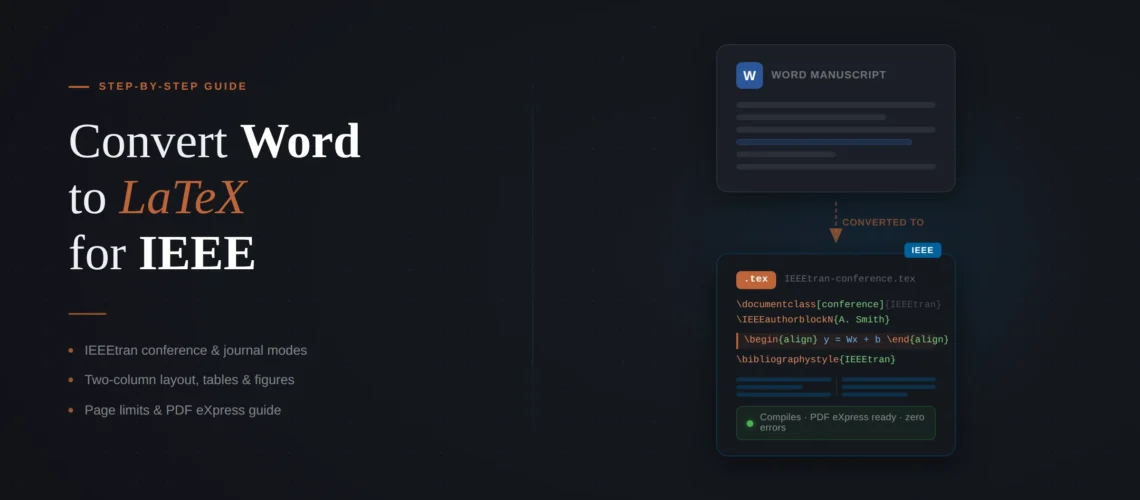
If you need to convert Word to LaTeX for IEEE conference or journal, the good news is that IEEE’s template situation is simpler than most publishers. There is one document class – IEEEtran.cls – with two modes: conference and journal. The bad news is that IEEE’s two-column layout creates conversion problems that do not exist with single-column publishers. Tables that fit your Word page will overflow IEEE’s narrow columns. Figures need resizing. And if your conference has a strict page limit, cramming your single-column Word content into a two-column format often pushes you over by a page or two. This guide covers the full process of converting your Word to LaTeX for IEEE, with specific attention to the two-column layout issues that trip up most first-time converters.
Quick Decision Box
Template: Use IEEEtran.cls with [conference] for conference papers or [journal] for Transactions/journal papers. One class file, two modes.
Biggest conversion challenge: Word is single-column. IEEE is two-column. Your tables, figures, and equations all need resizing. A 6-page Word paper typically becomes 7-8 IEEE pages before you start trimming.
Bibliography: IEEE conferences often use manual \bibitem entries. IEEE journals use BibTeX with IEEEtran.bst. Check your submission guidelines.
Fastest option: A professional Word to LaTeX conversion service delivers IEEE-formatted files in 72 hours – two-column layout, page limits met, compilation-tested.
Conference vs journal: picking the right IEEEtran mode
Unlike Springer (three template systems) or Elsevier (three document classes), IEEE gives you one class file with a clean split:
\documentclass[conference]{IEEEtran}  % Conference papers
\documentclass[journal]{IEEEtran}      % Transactions & journal papers
The differences between these two modes are more significant than they look. Conference mode uses a different author block structure (\IEEEauthorblockN and \IEEEauthorblockA for name and affiliation), does not include the drop-cap first paragraph (\IEEEPARstart), and has tighter margins. Journal mode uses a comma-separated author list, includes the drop cap, and supports features like \IEEEpubid for the copyright notice and \markboth for running headers.
If you are converting a Word document for a conference, use [conference]. If you are converting for an IEEE Transactions or Letters journal, use [journal]. Some IEEE conferences have specific templates – check your conference website first. If they provide a custom template, use that instead of the generic IEEEtran conference template.
The two-column problem (and how to solve it)
This is the biggest difference between converting for IEEE versus converting for Springer or Elsevier. Your Word paper is single-column with an effective text width of about 6.5 inches. An IEEE two-column page has a column width of roughly 3.5 inches. Everything you have in Word needs to fit in half the width.
This causes three specific problems:
Tables that overflow. A Word table with 6+ columns will not fit in a single IEEE column. You have two options: use \begin{table*} instead of \begin{table} to span both columns (the table floats to the top of the next page), or redesign the table to use abbreviations, rotated headers, or fewer columns. In our experience, about 60% of Word tables need restructuring for IEEE – not just resizing.
Figures that need dual sizing. Small figures fit in a single column with \begin{figure} and \includegraphics[width=\columnwidth]{}. Wide figures, multi-panel figures, and figures with small text need \begin{figure*} to span both columns. During conversion, you need to decide for each figure whether it works at column width or needs full page width. A figure that is readable at 6.5 inches in Word may have illegible axis labels at 3.5 inches in IEEE.
Equations that break the column. Long equations that fit on one line in Word will overflow an IEEE column. Use \begin{multline} to break them across lines, or \begin{align} with manual line breaks. IEEE’s own template documentation recommends avoiding {eqnarray} – use {align} or {IEEEeqnarray} instead.
Two-column layout giving you trouble?
We handle the table restructuring, figure resizing, and equation reformatting as part of every IEEE conversion. Your paper will fit the page limit and compile with zero errors.
Step-by-step convert Word to Latex For IEEE
1. Open the right template. For conferences, open the IEEE Conference Template on Overleaf. For journals, open the IEEE Journal Paper Template. Alternatively, download templates from the IEEE templates page or use the IEEE Template Selector.
2. Set up the author block. This is where conference and journal modes diverge most.
Conference author block:
\author{
\IEEEauthorblockN{1\textsuperscript{st} First Author}
\IEEEauthorblockA{\textit{Department} \\
\textit{University} \\
City, Country \\
email@university.edu}
\and
\IEEEauthorblockN{2\textsuperscript{nd} Second Author}
\IEEEauthorblockA{\textit{Department} \\
\textit{University} \\
City, Country \\
email@university.edu}
}
Journal author block:
\author{First Author,~\IEEEmembership{Member,~IEEE,}
Second Author,~and~Third Author
\thanks{F. Author is with the Department of...}
\thanks{Manuscript received...}}
3. Transfer body text. Copy section by section from Word. Replace headings with \section{} and \subsection{}. IEEE uses Roman numeral section heads in conference mode (this happens automatically). Clean up smart quotes, escape special characters (%, &, #, _), and remove tab characters.
4. Add the drop cap (journal papers only). IEEE journal papers start the first paragraph with a large initial letter. Use:
\IEEEPARstart{T}{his} paper presents a novel approach...The first argument is the drop letter, the second is the rest of the first word in small caps. Skip this for conference papers.
5. Convert equations. Rewrite Word equations in LaTeX math mode. Use $...$ for inline, \begin{equation} for numbered display math. For long equations, use \begin{multline} or \begin{align} – not {eqnarray}. Check that every equation fits within the column width. IEEE recommends using \eqref{} for equation references, not (1).
6. Rebuild tables and figures. See the two-column section above. For each table and figure, decide: single column or double column? Resize accordingly. Export figures from Word as PDF or EPS, not PNG.
7. Set up the bibliography. See the dedicated section below.
8. Compile and check page count. Compile with pdfLaTeX. If you are over the page limit, see the page limits section below. For general compilation debugging, see our guide on common LaTeX compilation errors.
IEEE bibliography: manual vs BibTeX
IEEE has a quirk that other publishers do not: many IEEE conferences use manual bibliography entries instead of BibTeX. This affects how you handle the conversion.
Conference papers (manual entries): Many IEEE conference templates include a \begin{thebibliography}{00} block with manual \bibitem entries. If your conference template uses this approach, you need to format each reference manually in IEEE style. The format is specific: abbreviated first names, journal name in italics, volume in bold, and specific punctuation. Example:
\bibitem{b1} G. Eason, B. Noble, and I. N. Sneddon,
``On certain integrals of Lipschitz-Hankel type
involving products of Bessel functions,''
\textit{Phil. Trans. Roy. Soc. London},
vol. A247, pp. 529--551, April 1955.
This is tedious. A 30-reference paper takes 90-120 minutes to format manually in IEEE style. If your reference manager (Zotero, Mendeley) can export in IEEE citation format, use that export as a starting point and clean up the formatting.
Journal papers (BibTeX): IEEE Transactions and Letters papers typically use BibTeX with IEEEtran.bst. Export your references from your reference manager to .bib format, then add:
\bibliographystyle{IEEEtran}
\bibliography{your-references}
IEEEtran.bst is included in most TeX distributions and handles IEEE’s specific formatting requirements automatically. Check your .bib entries for completeness – missing volume numbers, page ranges, or DOIs are common in Google Scholar exports.
Need your IEEE paper converted with zero hassle?
We convert Word manuscripts to IEEE-ready LaTeX for conferences and Transactions journals. IEEEtran template applied, two-column layout handled, bibliography formatted, and PDF eXpress compliance verified. From $149.
Fitting your content under IEEE page limits
Most IEEE conferences enforce strict page limits – typically 6 pages for content plus 1-2 pages for references. When you convert Word file to IEEE’s two-column format, the page count almost always increases because two-column layout is less space-efficient for text-heavy documents, especially those with large figures and tables.
Here are the legitimate ways to reduce page count without cutting content:
Use single-column figures sparingly. Every \begin{figure*} (double-column) figure takes at least half a page. If a figure is readable at column width, use \begin{figure} instead. This alone can save a full page on a figure-heavy paper.
Tighten table spacing. Add \setlength{\tabcolsep}{4pt} before a table to reduce column padding. Use \small or \footnotesize inside the table environment for smaller text. Abbreviate column headers.
Use \IEEEtriggeratref{}. This command balances the columns on the last page by specifying which reference number should trigger the column break. Without it, the last page often has one long column and one short column, wasting space.
Reduce figure whitespace. Add \vspace{-10pt} after figure captions to reduce the gap between figures and text. Be conservative – IEEE reviewers notice if the formatting looks squeezed.
Do not hack margins or font sizes. IEEE’s PDF compliance check (PDF eXpress) will reject papers with non-standard margins, font sizes, or column widths. The IEEEtran class sets these correctly. Overriding them will fail the compliance check.
Passing IEEE PDF eXpress
IEEE conferences require final papers to pass IEEE PDF eXpress, an automated compliance checker. PDF eXpress verifies margins, font embedding, page size, and other formatting requirements. You either upload your source files for server-side compilation, or upload a pre-compiled PDF for validation.
Common PDF eXpress failures after Word-to-LaTeX conversion:
Font embedding. Compile with pdfLaTeX (not XeLaTeX or LuaLaTeX) to ensure all fonts are embedded. Run pdffonts your-paper.pdf from the command line to check – every font should show “yes” in the embedded column.
Page size. IEEEtran defaults to US Letter. If you added a4paper to your document class options (common for European authors), PDF eXpress may reject it depending on the conference requirements. Check your conference’s format instructions.
Margin violations. If you used \vspace aggressively to save space, content may extend into the margin area. PDF eXpress catches this even if the violation is only a few points.
If your paper passes compilation in Overleaf and you have not modified any IEEEtran layout parameters, it will almost certainly pass PDF eXpress. The problems come from manual layout overrides.
Ready to submit to IEEE?
We convert Word manuscripts to IEEE-ready LaTeX for conferences and Transactions journals. Two-column layout, page limits met, PDF eXpress tested. From $149.
