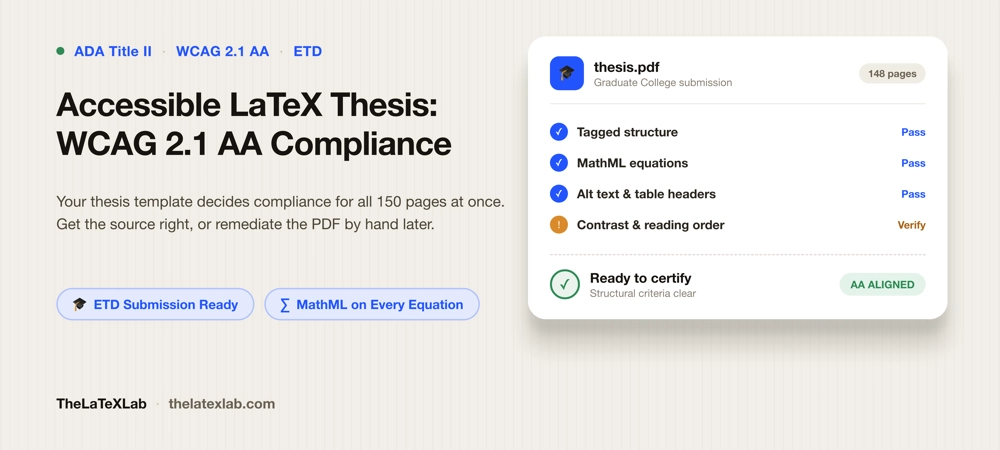
Making an accessible LaTeX thesis that meets WCAG 2.1 AA compliance is now a submission requirement at a growing number of graduate schools, not a nice-to-have. Under ADA Title II, universities have moved the WCAG 2.1 AA bar onto electronic theses and dissertations, and the graduate college checks for it. An ADA compliant thesis in LaTeX is very achievable, but ETD accessibility is decided at the source, not patched into the output. The trap is that a thesis is one long document generated from one set of source files, so the accessibility of all 150 pages is decided in a handful of lines at the top of your project. Get those right and every heading, list, table, and equation is tagged on every compile. Get them wrong and you are remediating a 150-page PDF by hand in Acrobat the week before your deadline. This guide is about getting them right the first time.
The template decides whether your thesis is WCAG 2.1 AA compliant or not
Most accessibility advice is written for one-off documents: fix this heading, tag that table, add alt text to this image. A thesis does not work that way. It is compiled from a class file and a preamble that apply to the whole document at once. That is the good news and the trap in the same sentence.
The good news: accessibility in LaTeX is a document-level setting. Turn on tagging correctly in the preamble and the structural work happens automatically across the entire thesis, chapter after chapter, every time you compile. You do not tag headings one by one the way a Word user does.
The trap: if the setup is wrong or the class file fights it, the whole document is inaccessible, and no amount of per-page fixing changes that until you fix the source. We frequently see students try to remediate the output PDF in Acrobat, page by page, because that is what the university guide describes. For a 150-page math-heavy thesis that is days of work that has to be redone from scratch the moment you recompile after a committee edit.
So the real question for an accessible thesis is not “how do I tag this figure” but “is my template set up to produce a tagged PDF at all.” That is the single highest-leverage decision in the whole process.
What WCAG 2.1 AA compliance requires of a thesis
The graduate school’s requirement usually reads “conform to WCAG 2.1 Level AA.” For a document, that resolves to a specific and finite list. It splits into two halves, and keeping them separate is what keeps the work sane.
The structural half is mechanical, and correct tagging handles almost all of it:
- The document is tagged: headings are headings, lists are lists, tables are tables (1.3.1).
- Reading order follows the visual order, so a screen reader moves through the thesis the way you read it (1.3.2).
- Every meaningful figure has alt text; decorative rules and logos are marked as artifacts and skipped (1.1.1).
- The document has a real title and a declared language in its metadata (2.4.2, 3.1.1).
- Tables have header cells marked for rows and columns (part of 1.3.1).
The human half is judgment, and no tool scores it for you:
- Body text clears a 4.5:1 contrast ratio against its background; large text and meaningful graphics clear 3:1 (1.4.3, 1.4.11).
- Color is never the only way you convey something. “The significant results are in red” fails; add a marker or label (1.4.1).
- Alt text is actually meaningful, and headings actually describe their sections (1.1.1, 2.4.6).
- Equations are exposed as real math, not flattened into pictures.
The structural half is where LaTeX shines, because it is automatic once configured. The human half is on you no matter what tool you use. The full plain-English breakdown of these criteria lives in our guide on what WCAG 2.1 AA requires of a PDF; the thesis-specific part is that you own both halves at once, for a very long document.
Why your department’s thesis template probably is not accessible
This is the part that surprises people. “Just use the official university thesis template” is the standard advice, and for accessibility it is often wrong.
Most department LaTeX thesis templates were written years before the LaTeX tagging system stabilized. Many are built on custom class files (`ucbthesis.cls`, a home-grown `thesis.cls`, an old `memoir` or `report` derivative) that were never designed to emit tags. Some university graduate-school ETD accessibility guides now say this out loud: LaTeX manuscripts are, in their words, “usually untagged and inaccessible to screen readers.” That is not a knock on LaTeX. It is a knock on templates that predate the tooling.
Two things break tagging in an old template:
- The class file itself. Custom sectioning commands, hand-rolled title pages, and redefined list environments often bypass the hooks the tagging code relies on, so the structure never gets tagged even when you switch tagging on.
- Old package habits. Templates pinned to legacy versions of `titlesec`, `tocloft`, `fancyhdr`, `caption`, or heavy `tikz` title art can scramble the tag tree or silently drop tags. Enabling tagging on top of them can produce a PDF that looks fine but fails a checker.
We commonly see a student do everything right in the preamble, compile, and still get a failing report, because the underlying class was quietly undoing the work. Before you trust a template, run its compiled output through a checker, and check the LaTeX source itself with a LaTeX accessibility checker so you learn whether the problem is your document or the class you inherited. If it is the class, you either patch it or move to a setup built for tagging from the start.
The setup that makes a LaTeX thesis tagged on every compile
Here is the current 2026 workflow that produces a tagged, WCAG-aligned PDF. It is the same core setup behind the tagged-PDF pipeline, applied to a thesis. Three prerequisites, then five lines.
Prerequisites:
- TeX Live 2025 or newer. The LaTeX tagging code ships with recent LaTeX releases; older distributions cannot do this. On Overleaf, set the TeX Live version to 2025 (or later) in Menu, Settings.
- LuaLaTeX as the engine. Tagging, and automatic MathML for equations, is most complete under LuaLaTeX. Set it in your editor or in Overleaf under Settings, Compiler.
- An up-to-date distribution. If you run TeX Live locally, update it (`tlmgr update –self –all`) so the tagging packages are current.
Then, before `\documentclass`, add the metadata block, and activate tagging in the preamble:
\DocumentMetadata{
  lang        = en-US,
  pdfversion  = 2.0,
  pdfstandard = ua-2,
  tagging     = on,
  tagging-setup = {math/setup=mathml-SE}
}
\documentclass{...}   % your thesis class

% in the preamble:
\usepackage{tagpdf}
\tagpdfsetup{activate-all}
\tagpdfsetup{math/alt/use}
With that in place, on every compile LaTeX tags your headings, paragraphs, lists, and document structure, sets the title and language in the metadata, and, because of the `math/setup=mathml-SE` line, emits MathML for your equations so a screen reader can read them instead of skipping a picture. This is exactly the setup graduate students report getting a full accessibility score from when they upload the result to Canvas or an institutional repository. The mechanics of what tagging does, and how to confirm it worked, are covered in depth in our guide to tagged PDFs and how to create one.
One caveat worth repeating: this switches tagging on, but the class file has to cooperate. If your department template is one of the old custom classes above, you may see the setup fight the class. That is the point at which patching the class, or rebuilding the thesis on a tagging-ready template, becomes the efficient path rather than the fussy one.
Get your thesis compliant to meet WCAG 2.1 AA and ADA Title II requirements
We set up your LaTeX thesis so it produces a tagged, WCAG 2.1 AA aligned PDF: the class configured for tagging, MathML on your equations, alt text and table headers in place, contrast and reading order checked.
What you still have to do manually
Tagging gets you the structural half. It does not get you the human half, and a thesis has more of the human half than most documents. Four things stay manual:
- Alt text on every figure. Tagging marks that a figure exists; you supply what it means. Add it at the source with `\includegraphics[alt={A scatter plot of yield against temperature, showing a positive linear trend}]{…}`. Write what the figure shows, not “Figure 3.2.” Decorative images get `alt={}` or are marked as artifacts so they are skipped. Alt text in LaTeX used to be genuinely painful; with the current tooling it is one key-value on the graphic.
- Real tables, with headers. Header cells have to be marked so a screen reader can announce “row 3, column Yield.” Use `\tagpdfsetup{table/header-rows={1}}` to mark the first row as headers, and keep table structure simple. Complex multi-panel tables are a known failure point; split them where you can.
- Contrast and color. Body text needs 4.5:1, figures and lines need 3:1. Check plots and any colored text with a contrast tool. And never let color be the only signal in a figure legend; add markers or labels.
- Math that reads correctly. The MathML setup makes equations accessible in principle, but heavy custom macros and unusual notation still need checking, because MathML for a mangled macro is mangled math. For a math-heavy thesis this is worth a dedicated pass; see how to make math accessible in PDFs.
The thesis-specific mistakes that most people does
Beyond the criteria, ETD submission has its own traps that a generic accessibility guide will not mention:
- You have to certify it, and it can be sent back. Many graduate colleges now require the student to certify the PDF meets accessibility standards as part of filing, and reserve the right to return a non-compliant submission for remediation. That turns accessibility from optional polish into a gate on your degree timeline. Fixing it after a committee-approved final draft, days before the deadline, is the worst time to discover the template never tagged anything.
- Some schools want an ePub too. A few institutions ask LaTeX submitters for both a tagged PDF and an ePub, and validate the ePub with a tool like Ace by DAISY at zero violations. If that is your school, plan for it early, because generating a clean ePub from a LaTeX thesis is its own conversion job, not a checkbox.
- Recompiling undoes hand-remediation. This is the strongest argument for fixing the source. If you remediate the output PDF in Acrobat and then your committee asks for one more edit, every manual fix is gone the moment you recompile. Source-level tagging survives edits; PDF-level remediation does not.
- The library will not do it for you. Responsibility for accessibility sits with the author at most institutions, not the graduate library or the ETD office. They check; they do not fix.
Verify before you submit
Do not certify a thesis you have not checked, and do not trust a single automated score. Verification is two passes, matching the two halves of the standard:
- Automated pass. Run the compiled PDF through an accessibility checker to confirm it is tagged, that headings and reading order are present, that the title and language are set, and that no figure is missing alt text. This clears the structural criteria fast and tells you whether the template actually tagged the document.
- Human pass. Read a few pages with a screen reader to confirm the reading order and alt text make sense and that your equations are spoken, not skipped. Check contrast on your figures. Skim for color-only cues in legends.
A clean automated report is necessary, not sufficient: it cannot tell you the alt text is meaningful or the contrast is high enough. The full two-pass method, including which checker to use and how to run the screen-reader walkthrough, is in our guide on how to check if a PDF is accessible. Run it before you file, not after you are told to.
FAQ
Does my LaTeX thesis actually have to be WCAG 2.1 AA compliant?
Increasingly, yes. Under ADA Title II, many US graduate schools now require an accessible dissertation or thesis to conform to WCAG 2.1 Level AA before acceptance, and often ask the student to certify it. Check your own graduate college’s ETD manual for the exact wording and effective date, because the requirement and its enforcement vary by institution. Where it applies, an untagged LaTeX PDF will not pass.
Is the official department LaTeX thesis template already accessible?
Usually not, unless it was updated recently and specifically for tagging. Most university thesis classes predate the LaTeX tagging system and were never designed to emit tags, which is why library guides describe LaTeX PDFs as typically untagged. Some custom class files also actively interfere with tagging. Test the template’s output with a checker before you rely on it, and treat “it is the official template” as unrelated to “it is accessible.”
Do I have to rewrite my thesis in Word to make it accessible?
No. That is the assumption behind a lot of university guidance, and it is the wrong one for a math-heavy thesis. A current TeX Live with `\DocumentMetadata` tagging under LuaLaTeX produces a tagged, WCAG-aligned PDF directly, and it handles equations through MathML far better than Word’s math export. Moving 150 pages of LaTeX math into Word usually creates more accessibility problems than it solves.
Will tagging make my equations screen-reader accessible?
The `math/setup=mathml-SE` option emits MathML for your equations, which is what lets a screen reader read them rather than skip an image. It works well for standard notation. Heavy custom macros and unusual notation still need a check, because the MathML is only as good as the source it is generated from. For a thesis with a lot of math, budget a dedicated verification pass on the equations.
Can the graduate school reject my thesis for accessibility?
At institutions that have adopted the requirement, yes: a submission that fails the accessibility check is returned to the author for remediation, and accessibility becomes a gate on graduation rather than optional polish. Because remediating an output PDF by hand does not survive a recompile, the reliable path is to fix it at the source before your final, committee-approved draft, not after.
